
November 6, 2026
5 Use Cases for Streaming Callbacks and Shared Storage Explored
Dash 4.5 added two capabilities that change what a Python data app can do in production. Streaming callbacks send the latest output to the browser while the callback awaits new results. Shared storage gives every worker process in an app the same server-side state and a publish/subscribe channel to pass messages between them.
Our previous post covered the basics of how each of these features works, but in this post, let's explore what they make possible. Below are five spotlight use cases, followed by five more ideas worth exploring. All of these examples use pure Dash with plain Python callbacks.
TL;DR
Here's where these features add the most value for the people using your apps. Details on these three, plus seven more, are below.
- Reviews that stay in sync. When a colleague approves a line item or leaves a comment, everyone with the app open sees it instantly. No refresh, and no "which version is current?" (Spotlight 1)
- AI agents that show their work. Each finding appears the moment its step finishes, so users act on the first answer instead of waiting for the full report. (Spotlight 2)
- Dashboards that never freeze. Each region or data source draws as soon as its query returns, so the slowest system no longer holds up the rest. (Spotlight 3)
A 60-second recap
Streaming callbacks. Write a callback as an async def generator, and every yield reaches the browser as soon as it is produced. Yield a dash.Patch to send only what changed, such as the next few words of an LLM response or one new row in a table. All of a browser's streams share a single connection, so a page with many live panels keeps responding.
Shared storage. Enable it with one constructor argument, Dash(shared_storage=LocalSharedStorage()), or with the DASH_SHARED_STORAGE environment variable. It provides a key/value store with optional expiry and an ordered, replayable publish/subscribe channel, and it is visible to every worker process in the app. Swap in RedisSharedStorage when the app runs across multiple containers or pods. App code stays the same.
Shared storage is built for coordination between workers, not for keeping data long term. For datasets, query caches, or anything that must survive a deploy, a persistent filesystem is the better home.
Individually, each feature solves a long-standing pain point. Together, they let a Dash app push live updates across users and workers without polling.
Spotlight use cases
1. Collaborative review and approvals
Uses streaming callbacks and shared storage
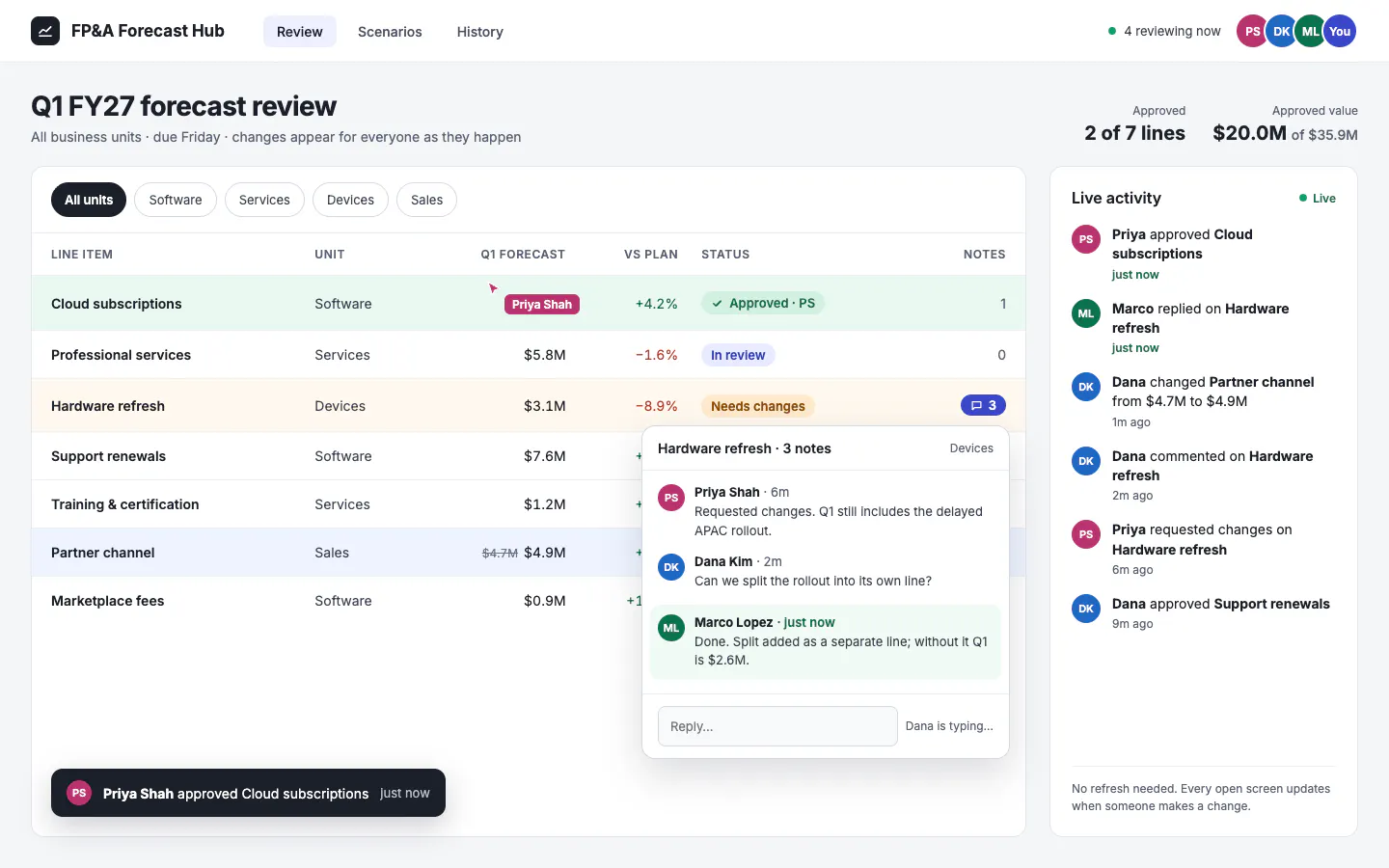
Comments, sign-offs, and status changes flow through shared storage's publish/subscribe channel, and a streaming callback delivers each one to every open page. Everyone looking at the same item sees the same state as it changes, whichever worker handled the original action. If a page briefly loses its connection, it replays the messages it missed instead of skipping them.
Real-world example: During a quarterly forecast review, finance partners across business units annotate the same forecast app. When one partner approves a line item or adds a comment, it appears on everyone else's screen in real time. That replaces the usual cycle of spreadsheet versions and "which copy is current?" messages.
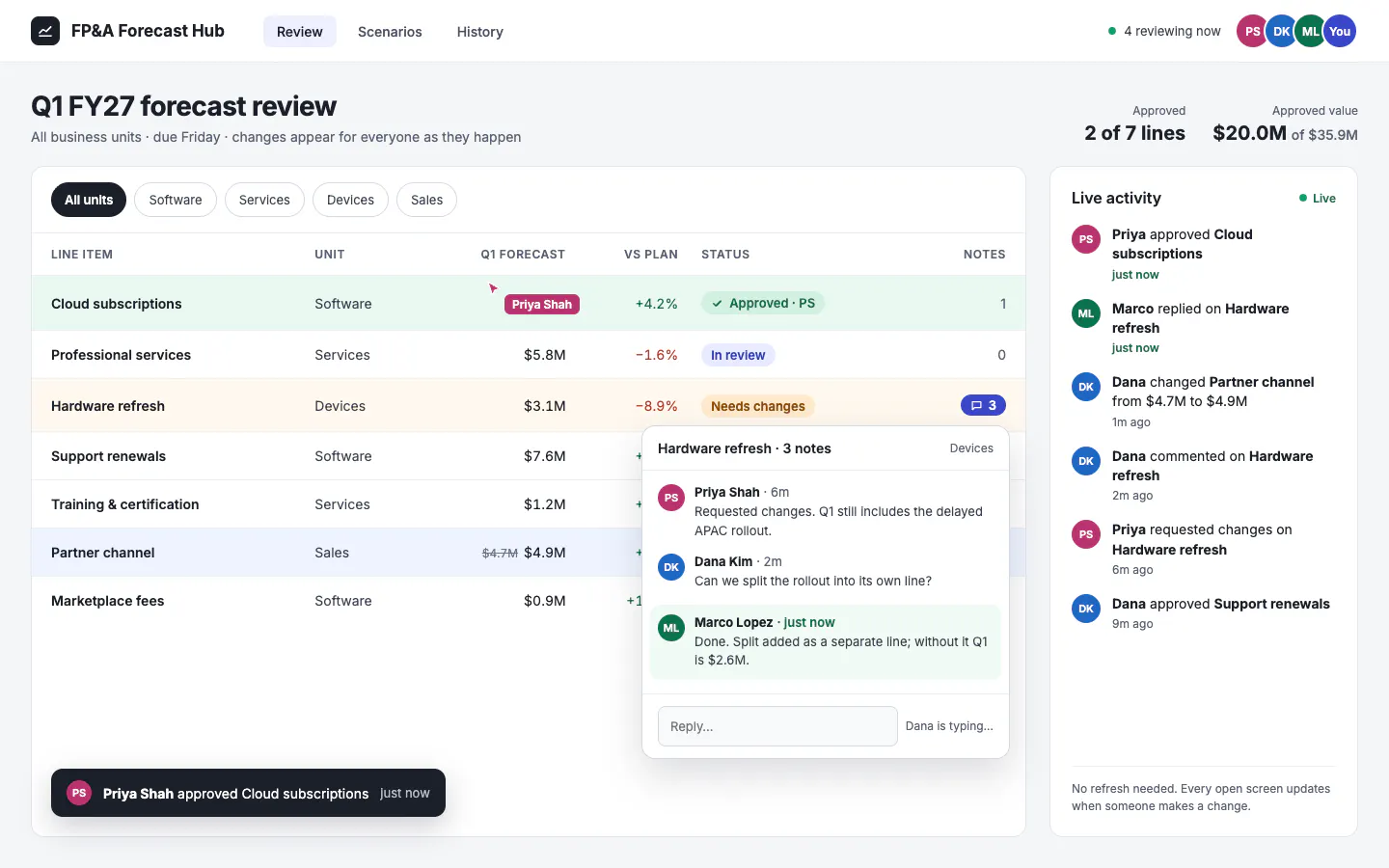
Why Dash: Streamlit treats every browser tab as an isolated session, so sharing changes between users means adding community libraries or a polling loop. Dash 4.5 builds the shared channel in, and with a Redis backend it reaches users on every server. The announcement post includes a complete live activity feed in about 20 lines of Python.
2. AI agents that show their work
Uses streaming callbacks
Agentic workflows call tools, query data, and make intermediate decisions before producing an answer. Streaming lets an app show each step as it happens, which turns an opaque wait into something a reviewer can follow and act on.
@callback(Output("agent-steps", "children"),Output("agent-answer", "children"),Input("ask", "n_clicks"),State("question", "value"),prevent_initial_call=True,)async def run_agent(n, question):yield [], ""async for step in my_agent.run(question): # any async agent frameworksteps = Patch()steps.append(html.Li(f"{step.tool}: {step.summary}"))yield steps, no_updateyield no_update, await my_agent.final_answer()
Real-world example: A supply chain planner asks an agent why a key customer shipment is late. The agent checks the order in the ERP system, queries the carrier's tracking API, and searches recent supplier emails, a run that can take a minute or more. Each finding appears on screen the moment its step finishes. When the carrier lookup shows a customs hold 10 seconds in, the planner can start working the problem instead of waiting for the full report.
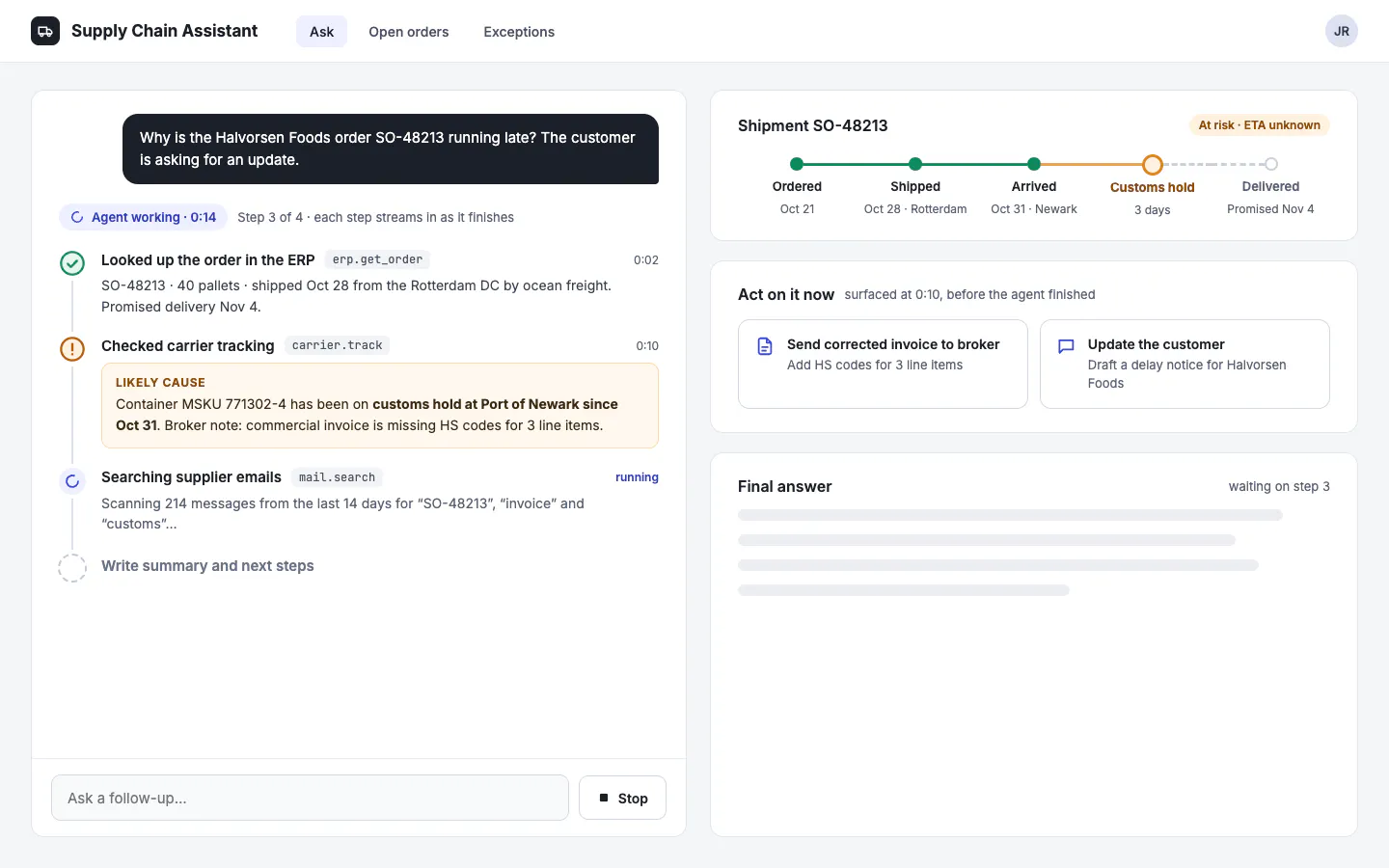
Why Dash: In Streamlit, interacting with a widget typically reruns the script, which interrupts work in progress. In Dash, each stream runs on its own, so the planner can keep using the rest of the app while the agent works.
3. Results that arrive piece by piece
Uses streaming callbacks
When a query fans out across regions, business units, or time partitions, there is no reason to wait for the slowest one. A streaming callback can add each slice to a chart the moment it returns.
@callback(Output("regional-revenue", "figure"),Input("run", "n_clicks"),prevent_initial_call=True,)async def load_by_region(n):yield go.Figure() # start with an empty chartfor region in REGIONS:df = await query_region(region) # your async warehouse queryp = Patch()p["data"].append({"type": "bar","name": region,"x": df["month"].tolist(),"y": df["revenue"].tolist(),})yield p
Real-world example: A global sales operations dashboard queries each region's data separately. North America renders in two seconds while APAC, which sits in a slower system, fills in a few seconds later. Users get the fast answers fast, and the page never looks frozen.
Why Dash: Each update is a Patch that sends only the new region's data, not the whole chart, so large figures stay fast. Filters and other controls stay usable while the slower sources finish.
4. Live operational monitors
Uses streaming callbacks
Any data source that produces values asynchronously can feed a streaming callback directly: sensor telemetry, a message queue, an event stream, or a log tail. Each new reading is pushed to the browser as it arrives instead of on a fixed polling interval.
Streams are built for long-running connections. Dash sends a keepalive every 15 seconds by default (configurable with stream_keepalive_interval), so long gaps between readings won't trip the idle timeouts common on corporate proxies and load balancers.
Real-world example: A utility's operations team monitors substation load readings and equipment temperatures on a single page with several live panels. Because all streams share one connection, the page stays responsive even with every panel updating, and filter controls on the same page keep working while the feeds run.
Why Dash: In Streamlit, a live view is usually a loop that sleeps and redraws on a timer, which adds server load. Dash pushes each reading the moment it arrives, and every panel on the page shares one connection.
5. Alerts that reach every open screen
Uses streaming callbacks and shared storage
A user or an automated check publishes an alert, and every dashboard subscribed to that topic shows it immediately. No email, no refresh, no polling loop running every few seconds whether or not anything changed.
Real-world example: A manufacturing quality team flags a batch for review. Every line supervisor with the production dashboard open sees the flag within moments, with the batch details attached, and can act before the next shift starts.
Why Dash: Broadcasting to every open screen usually means running a separate message broker alongside the app. Dash 4.5 includes the channel, and on Dash Enterprise the same code reaches every pod through managed Redis.
More ideas worth exploring
These patterns use the same building blocks as the spotlights above.
- AI assistants that answer at reading speed. Stream an LLM's answer token by token instead of showing a spinner until it finishes. A research assistant over earnings call transcripts is a natural fit, and closing the tab cancels the stream so abandoned requests stop consuming model spend.
- Multi-step analyses users can follow. Report each stage of a pipeline as it completes. A month-end variance report can surface its exception table before the final charts are ready, so reviewers start sooner.
- Live status for long-running jobs. A job writes its latest status to shared storage and publishes each change, so everyone sees the same progress live. Planners can check an overnight forecast retrain without asking the data science team.
- Cancel buttons that work across workers. A Cancel click sets a shared flag that the running job checks between steps. An analyst can stop a 5,000-scenario stress test run against the wrong portfolio before it ties up compute.
- One upstream feed, many viewers. Read a live source once and publish it to every viewer. Fifty traders can watch the same pricing view while the pricing system sees a single consumer.
From prototype to production
Session-based frameworks such as Streamlit hold each user on a stateful WebSocket connection to one server. Scaling out then requires sticky sessions, and sharing state between users requires infrastructure you add yourself. Dash 4.5 streams over standard HTTP and coordinates through shared storage, so any worker on any server can handle any request.
These patterns work the same on a laptop as they do in production. The difference is which shared storage backend you choose, and that choice is a one-line change or an environment variable.
Where the app runs
Shared storage backend
What it covers
One server or one container with multiple workers, including Plotly Cloud
LocalSharedStorage (included with Dash)
All workers in that container
One host with processes sharing a directory
DiskcacheSharedStorage
All processes on that host
Multiple containers or pods behind a load balancer, such as a scaled Dash Enterprise deployment
RedisSharedStorage
Every process, container, and pod
A few points that matter to platform and IT teams:
- No code changes between environments. Developers can build with the local backend, and the platform team can point production at Redis by setting DASH_SHARED_STORAGE to a redis:// or rediss:// URL.
- Fits existing Dash Enterprise services. Dash Enterprise lets developers add a managed Redis database to an app from the UI, which is the natural backend for multi-pod deployments.
- One signing secret across workers. Setting DASH_SECRET_KEY gives every worker and pod the same secret for verifying stream requests, so a stream started on one worker can be served by another.
- Works on standard HTTP. Streaming runs on Flask, Quart, and FastAPI without requiring WebSockets. Apps already using WebSocket callbacks on FastAPI or Quart stream over that connection instead.
- Fails early if misconfigured. An app with streaming callbacks and no shared storage raises a clear error at startup, so a configuration gap shows up in development rather than in production.
Where to start
If you have an app today that makes users wait on a spinner, keeps state in a global variable, or polls the server with dcc.Interval, it is a good candidate for one of these patterns.
- Developers: Upgrade with pip install -U dash, then read the streaming callbacks and shared storage docs.
- Teams planning production rollouts: Book a live demo to see how streaming apps deploy, scale, and stay governed on Dash Enterprise, running on infrastructure your organization controls.