
Plotly
October 29, 2026
Python Dashboard Framework Comparison: 6 Options for Data Apps
TL;DR
- Dash is the strongest choice for analytical applications with connected charts, tables, controls, and calculations because callbacks make update logic explicit
- Streamlit suits bounded, linear data tools, with Session State, caching, and fragments available to manage its script-rerun model
- Panel suits scientific and notebook-centered applications that need to combine several visualization libraries
- Shiny for Python suits teams that prefer dependency-tracked reactivity, especially when they already understand Shiny's programming model
- Gradio suits model and function interfaces, especially chat, image, audio, video, and other multimodal workflows
- Reflex suits full-stack products that need routes, accounts, APIs, and database operations alongside analytics
- AI coding support reduces day-one differences among the frameworks, but it does not change their reactivity, state, visualization, or deployment models
- Plotly has the clearest path from AI-assisted development to a governed analytical application through Dash Open Source, Plotly Studio, Plotly Cloud, and Dash Enterprise
- Evaluate the hardest requirement first, such as linked chart events, an editable large table, a long-running calculation, or enterprise access controls
Coding agents have reduced the advantage of choosing a Python dashboard framework simply because its first example takes fewer lines of code. They can scaffold layouts, callbacks, state, tests, and deployment files across the leading frameworks. What they cannot change is the architecture of the finished application.
That architecture determines how charts communicate with tables, how state moves through the interface, what reruns after an interaction, how long calculations are handled, and how the application reaches production.
For an analytical application expected to gain connected visualizations, operational tables, background work, or enterprise controls, Dash is the strongest default. Streamlit, Panel, Shiny for Python, Gradio, and Reflex each support a different application model. Dash still offers the strongest combination of Plotly-native interaction, analytical grids, explicit callbacks, AI-assisted development, and enterprise deployment. The decision should follow the application you expect to maintain, not the shortest route to a prototype.
Python frameworks at a glance
Framework
Designed around
Strongest fit
Main tradeoff
Dash
A component tree with explicit reactive callbacks
Data-intensive analytical and operational applications
More application structure than a linear script, in exchange for precise interaction control
Streamlit
A Python script that reruns when users interact, with state, caching, and fragments
Bounded internal tools with a mostly linear user journey
Connected interaction flows require deliberate control of reruns and state
Panel
Reactive expressions, parameterized objects, and callbacks
Scientific and notebook-centered applications using varied visualization libraries
Breadth creates a larger conceptual and integration surface
Shiny for Python
A dependency-tracked reactive graph
Reactive analytical applications, particularly for Shiny-aware teams
Plotly and other widget integrations add an additional layer
Gradio
Python functions connected to inputs, outputs, and events
Model demos, chat, media, and multimodal applications
Dense chart-to-chart and chart-to-table analysis is not its primary design center
Reflex
Python state and event handlers compiled into a React front end with a FastAPI backend
Full-stack products in which analytics is one feature
Its broader product architecture is less specialized for analytical visualization workflows
The six frameworks are not interchangeable. Dash, Streamlit, Panel, and Shiny for Python are directly relevant to analytical applications, although their reactive models differ. Gradio is primarily a model-interface framework. Reflex is a general full-stack application framework. Including those categories makes the comparison more useful, provided they are not scored as though they solve the same job in the same way.
The comparison starts with application architecture
All six frameworks can render charts, accept inputs, call Python functions, and produce a web interface. Those similarities are less useful than the differences in how each framework responds after a user clicks, filters, selects, edits, or submits something.
Framework
Visualization and interaction
State and update model
Tables and long-running work
AI-assisted development
Dash
Plotly figures expose hover, click, selection, and relayout data to callbacks, supporting linked charts, maps, controls, and tables
Callbacks declare the inputs that trigger specific outputs; pattern matching, partial updates, and clientside callbacks extend the model
Dash AG Grid supports editing, filtering, selection, pagination, and server-backed patterns; background callbacks use a configured queue
Official agent guidance and a Dash documentation MCP; Plotly Studio adds code-backed analysis, app generation, and embedded AI experiences
Streamlit
Supports common Python chart libraries and Plotly selection events that can trigger a rerun or callback
Widget interaction normally reruns the script; Session State, caching, callbacks, and fragments provide more control
st.dataframe and st.data_editor cover common table workflows; durable background jobs require additional infrastructure
Official agent skills help coding agents follow current Streamlit APIs
Panel
Supports Plotly, Bokeh, Matplotlib, Altair/Vega, ECharts, VTK, DeckGL, and other formats; its Plotly pane supports click, hover, and selection events
Offers reactive expressions, parameter-driven APIs, and lower-level callbacks
Tabulator supports display, editing, filtering, selection, and pagination; async callbacks support non-blocking I/O patterns
General coding agents can work with its Python APIs, while Panel's chat components support AI interfaces inside applications
Shiny for Python
Supports common plotting libraries; Plotly rendering and events use the shinywidgets integration
Automatically tracks reactive dependencies and invalidates affected outputs
DataGrid supports filtering, editing, and selection; ExtendedTask handles slow asynchronous work outside the reactive graph
Bundled Agent Skills and Shiny Assistant provide current framework context and browser-based generation
Gradio
Displays plots and connects components through events, with particular depth for text, chat, image, audio, video, and files
Event listeners connect components to functions; global, session, and browser state cover different persistence scopes
Dataframe components support model inputs and review; queues and concurrency controls align with inference workloads
Vibe Mode edits an app through natural language, and Gradio's documentation MCP gives coding agents current context
Reflex
Chart behavior depends on the selected component or integration; charts can share filters through Reflex state
Python state and event handlers connect to a generated React front end and FastAPI backend
General table components and database operations support full-stack workflows; background events prevent long tasks from blocking the UI
Reflex Build, Agent Skills, and the Agent Toolkit support AI-generated full-stack application development
A model demo and an operational analytics application should not receive the same weighting for chart events, grid behavior, or background work. The mechanisms above show where the architectural differences actually affect the result.
Dash: the strongest foundation for analytical applications
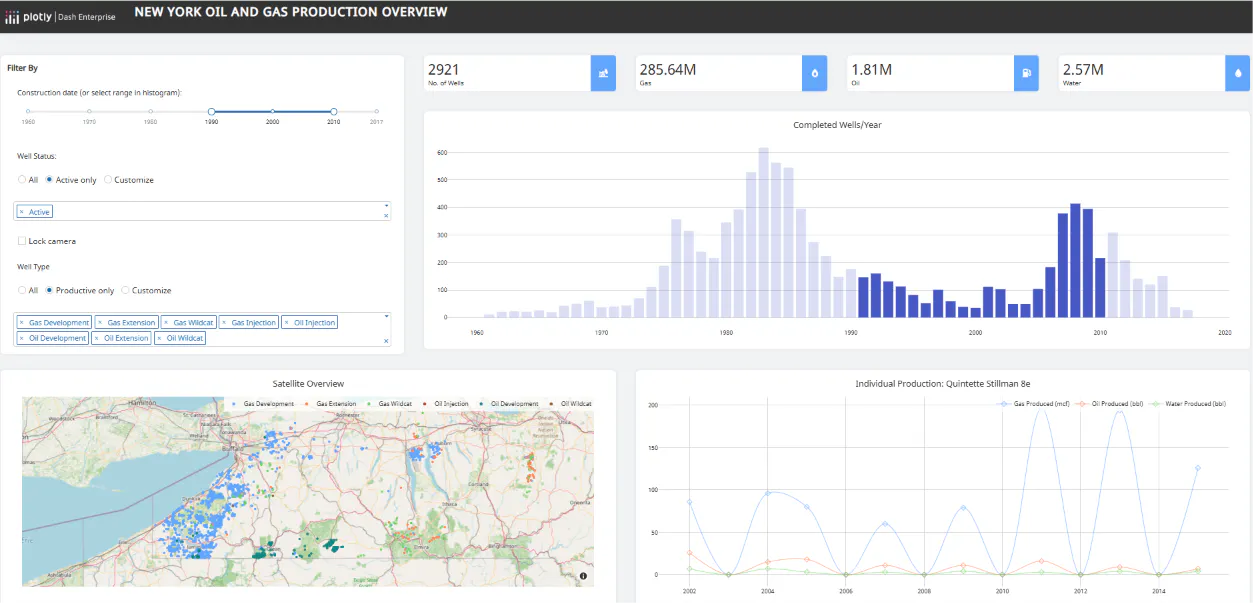
Plotly.py and Dash solve different layers of the stack. Plotly.py is the open-source graphing library that creates interactive figures. Dash is the open-source Python application framework that connects figures, controls, tables, and Python logic into a web application.
Dash applications use a component-based layout and callbacks. A callback declares which component properties are inputs, which are state, and which outputs should update. That explicit dependency graph becomes valuable when one selection must update several parts of an application without rerunning unrelated code.
A Plotly figure inside dcc.Graph can expose hoverData, clickData, selectedData, and relayoutData. That means a lasso selection can filter a table, a map click can load an asset record, or a zoom event can request a narrower slice of server-side data. Dash callbacks keep those relationships in Python, while interactive graphing provides direct access to the events generated by the visualization.
Dash also provides mechanisms for applications that outgrow a basic callback graph:
- Pattern-matching callbacks connect dynamic groups of components without declaring every component ID in advance
- Partial property updates change only the required part of an output instead of replacing the complete value
- Clientside callbacks run suitable updates in the browser when a server round trip is unnecessary
- Background callbacks send long-running work to a configured queue so web workers remain available
- Dash AG Grid connects table filtering, selection, editing, pagination, and server-side data patterns to the same callback model
Consider a manufacturing-quality application. An engineer selects a cluster of outliers in a process chart, inspects the corresponding production records, changes an investigation status, and starts a calculation that may take several minutes. Dash can represent the figure events, editable grid, update logic, and background task as one application architecture. That is the requirement where Dash separates itself from frameworks optimized for a linear script or a function demo.
Dash is code first, and a connected application still needs deliberate architecture. Teams must understand callback dependencies, state boundaries, and data movement well enough to review generated code. Coding agents make the implementation faster, but they do not remove that responsibility. For teams building an application expected to grow, the structure is an asset rather than overhead added for its own sake.
AI changes the development equation in Dash's favor
All six frameworks can be used with general-purpose coding agents, so a comparison that equates shorter syntax with easier development is already dated.
Plotly goes further than generic code generation. Its Dash guidance for AI coding assistants covers tools such as Codex, Cursor, GitHub Copilot, and Claude Code. The Dash documentation MCP gives compatible agents current framework and component documentation. Because layout, callbacks, and application logic can remain in one Python project, an agent does not need to maintain a separate JavaScript front end and API contract for a conventional analytical application.
Plotly Studio adds an AI-native path for data analysis, visualization, and app generation, with code available for review. Teams can build apps with coding agents and, on Plotly Cloud, embed AI chat inside final apps so viewers can ask follow-up questions about the application and its data.
Streamlit's official agent skills and Gradio's Vibe Mode are real strengths. Plotly's advantage is the span of the workflow: agent-ready Python development, code-backed analytical app generation, embedded AI for end users, and deployment products designed for the resulting applications.
Streamlit: effective when the workflow stays script shaped
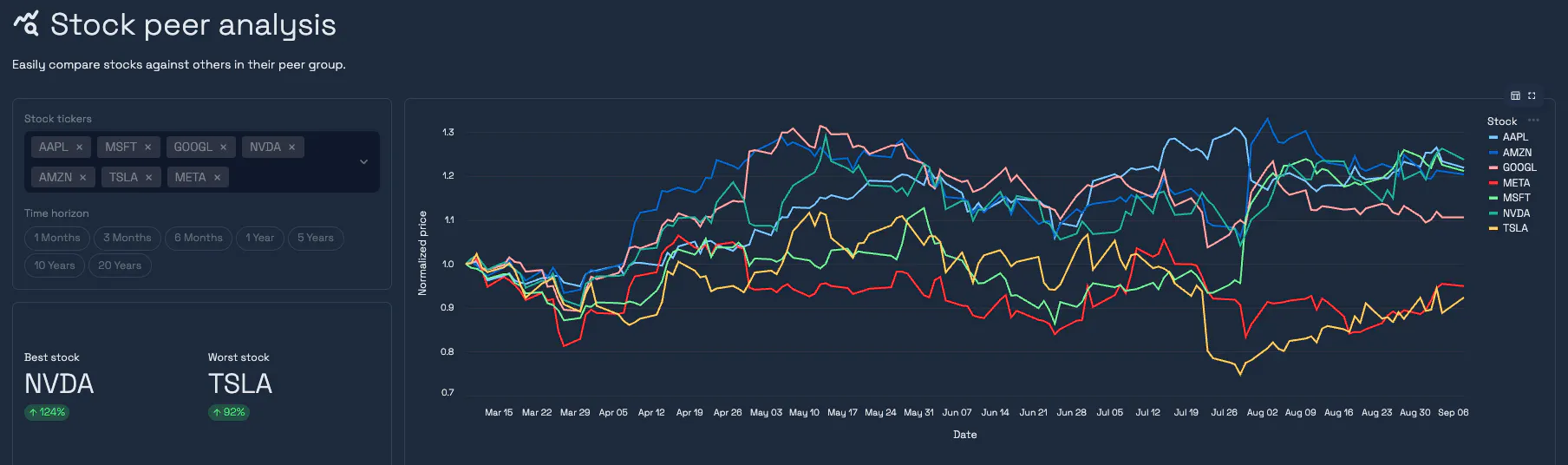
Streamlit's appeal comes from its execution model. Developers write Python from top to bottom and add interface elements through a compact API. When a user interacts with a widget, Streamlit normally reruns the script and updates the front end.
That description needs an important qualification. Streamlit provides Session State for values that persist between reruns, st.cache_data and st.cache_resource for expensive work, callbacks for state changes, and fragments that rerun only part of an application. It also includes multipage support, interactive dataframes, st.data_editor, and native OpenID Connect authentication.
Streamlit can also react to Plotly selection events. Its st.plotly_chart API can rerun the app or execute a callback when a user selects data, then returns the selection data.
The architectural difference remains. Dash exposes a broader Plotly event surface through named component properties and lets each callback specify the outputs that should change. Streamlit starts from a script rerun and adds tools to narrow or manage that behavior. As interactions become densely connected, teams must decide which logic belongs in fragments, what belongs in Session State, and which work should be cached.
A bounded upload-transform-review-download tool may fit this model well. A customer uploads a file, changes a threshold, reviews a chart, and downloads the scored records. The flow is mostly linear, and Streamlit's script structure mirrors the analysis.
The recommendation changes when the roadmap includes cross-filtered charts, a large editable table, several independent calculations, or application-specific navigation and state. Starting with Dash avoids rebuilding the interaction model after the application becomes important. Coding agents have reduced the cost of taking that path from the start.
Teams can use Streamlit Community Cloud, deploy the open-source framework with Docker or Kubernetes, or use Streamlit in Snowflake for a Snowflake-native environment with role-based access controls. Streamlit also publishes official agent skills that help coding agents use current APIs. These capabilities make the comparison fairer, but they do not change the framework's script-rerun foundation.
Panel: broad scientific and visualization-library support
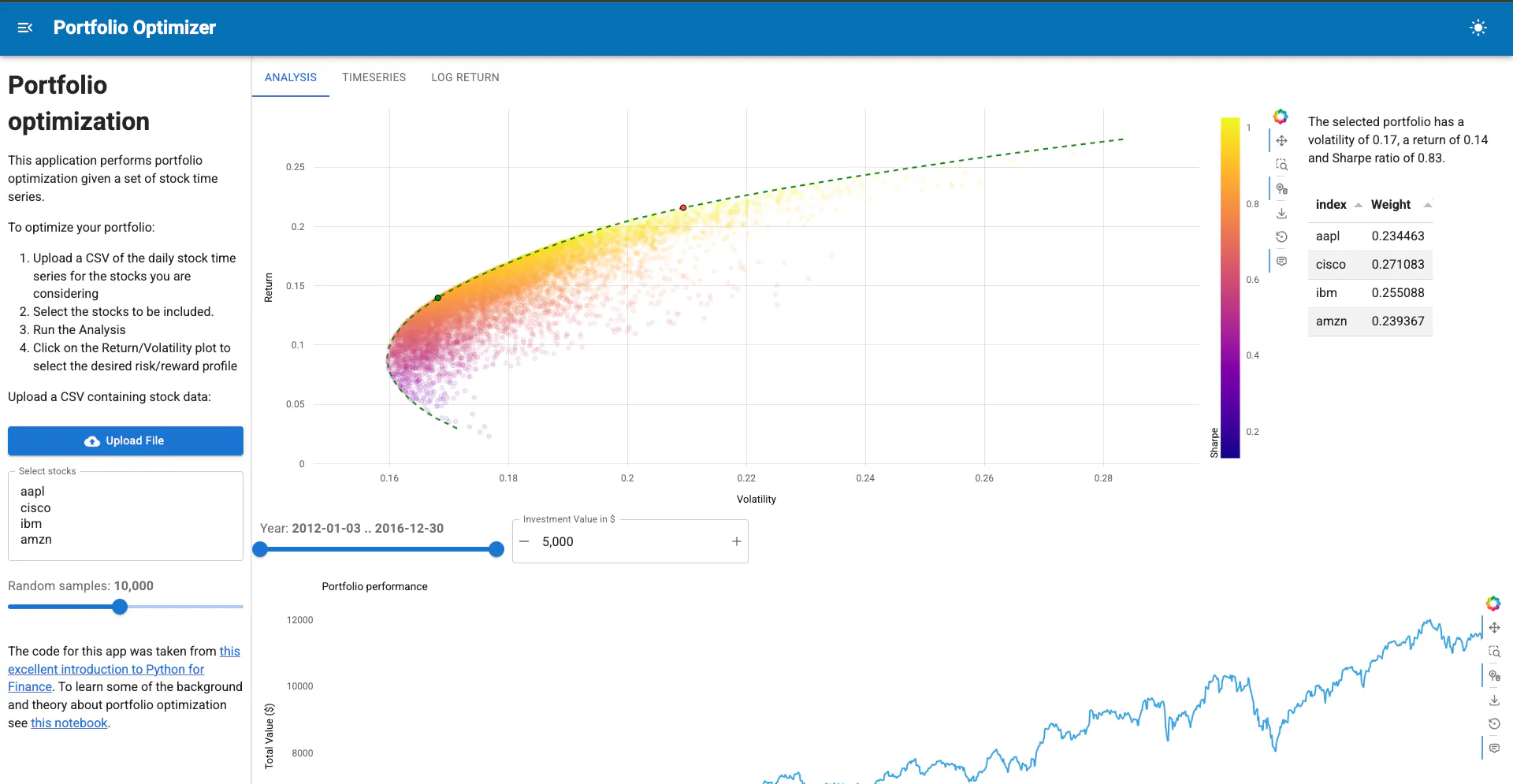
Panel is part of the HoloViz ecosystem. It can connect Python objects, widgets, plots, tables, and layouts through reactive expressions, parameter-driven APIs, and callbacks. Its defining strength is not a shorter version of Dash's model. It is the ability to bring many scientific and visualization objects into one Python application.
Panel supports Plotly, Bokeh, Matplotlib, Altair/Vega, ECharts, VTK, DeckGL, HoloViews, and other formats through its pane system. Its Plotly pane exposes click, hover, and selection events, while the Tabulator widget supports editable dataframes, filters, selection, and pagination.
A research team might need one application containing a Plotly time series, a VTK rendering, a parameterized simulation, and explanatory material adapted from a notebook. Panel lets the team combine those objects without standardizing every visualization on one library. It can also serve notebooks directly, run through a Panel server, integrate with other Python servers, or operate in compatible browser-based WebAssembly environments.
That breadth comes with a larger conceptual surface. Teams can use reactive expressions, Param, bound functions, watchers, and callbacks, and third-party panes do not all expose identical event behavior or styling. Larger applications benefit from internal conventions about which reactive style to use and how state moves through the application.
Panel is therefore a credible specialist option when multi-library scientific visualization is the requirement. If the application centers on Plotly events, connected operational tables, and a managed path from development to enterprise deployment, Dash provides a more focused architecture and a more integrated production path.
Shiny for Python: dependency-tracked reactive applications
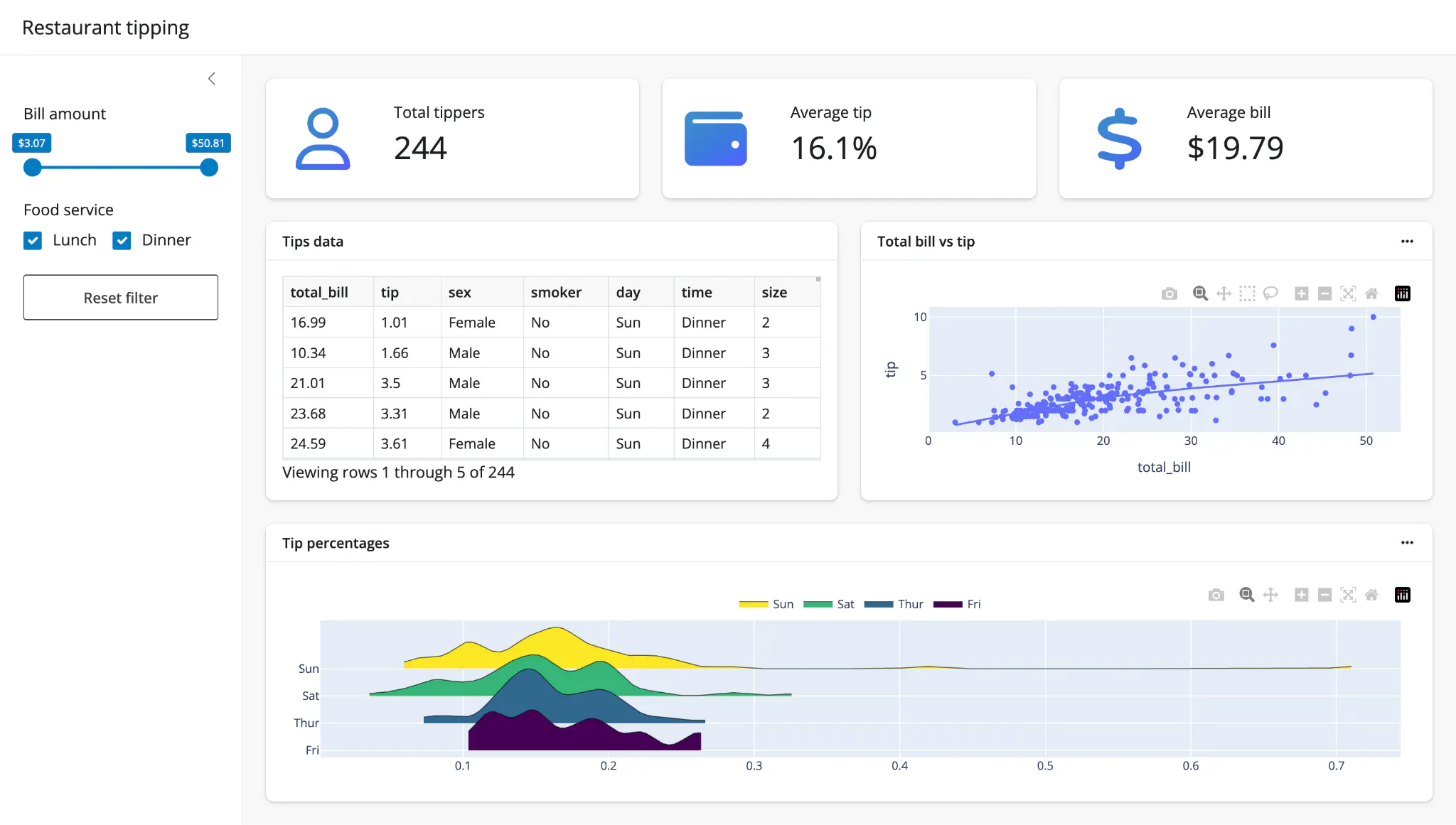
Shiny for Python brings Posit's reactive programming model to Python. Developers declare reactive inputs, calculations, effects, and outputs. Shiny tracks the dependencies among them and invalidates the affected outputs when an upstream value changes.
That model is particularly familiar to teams with R Shiny experience. Reactive calculations can share results across outputs, while modules package related UI and server logic as an application grows. Shiny's DataGrid supports filtering, editing, and row or cell selection. ExtendedTask moves slow asynchronous work outside the reactive graph so the session can continue responding.
Plotly charts are supported through shinywidgets, which converts figures into widget-compatible objects and enables event handling. This is a capable integration, but it is an additional layer. Dash exposes Plotly interaction properties directly through dcc.Graph and connects them to the same callback model used by its grids and controls.
Posit now provides bundled Agent Skills for coding agents, Shiny Assistant for generating applications in the browser, and documented patterns for chat interfaces and tool calling. These capabilities reduce the initial learning burden, but the finished application still follows Shiny's dependency-tracked reactive architecture.
Shiny for Python is a serious option for teams that prefer automatic dependency tracking or already operate in the Shiny ecosystem. Dash remains the stronger recommendation when the central requirement is deep Plotly interaction, explicit event-to-output control, and a Plotly-managed production path.
Gradio: purpose-built for model and multimodal interfaces
Gradio begins with a Python function. Its Interface API maps inputs and outputs to that function, while Blocks and event listeners support more customized layouts and interaction flows. Components for chat, text, image, audio, video, galleries, and files make it especially effective for machine-learning and generative-AI interfaces.
A team evaluating an image model might need reviewers to upload a file, change inference settings, compare outputs, and flag a result. Gradio maps naturally to that input-function-output workflow. Built-in queuing and per-event concurrency controls also address the reality that inference can be expensive and simultaneous requests need coordination.
Gradio has become more capable than a basic demo wrapper. It supports global, session, and browser state. Vibe Mode provides a local, natural-language editing experience, and a Gradio application can expose documented functions as MCP tools. It can run on Hugging Face Spaces or on infrastructure managed by the team.
Its tradeoff appears when the application is organized around coordinated analytical views rather than model invocation. Blocks can create complex interfaces, but dense cross-filtering among charts, operational grids, and calculations is not the framework's primary design center. Gradio's built-in username-and-password authentication is documented as a basic access-control layer; stronger identity, authorization, and operational controls depend on the hosting environment or additional integration.
Gradio may offer the more natural component set for a media or chat model. If the requirement is a governed analytical application where chart events, editable tables, and business calculations form one workflow, Dash is the stronger framework because those elements share its callback architecture.
Reflex: full-stack Python applications that include analytics
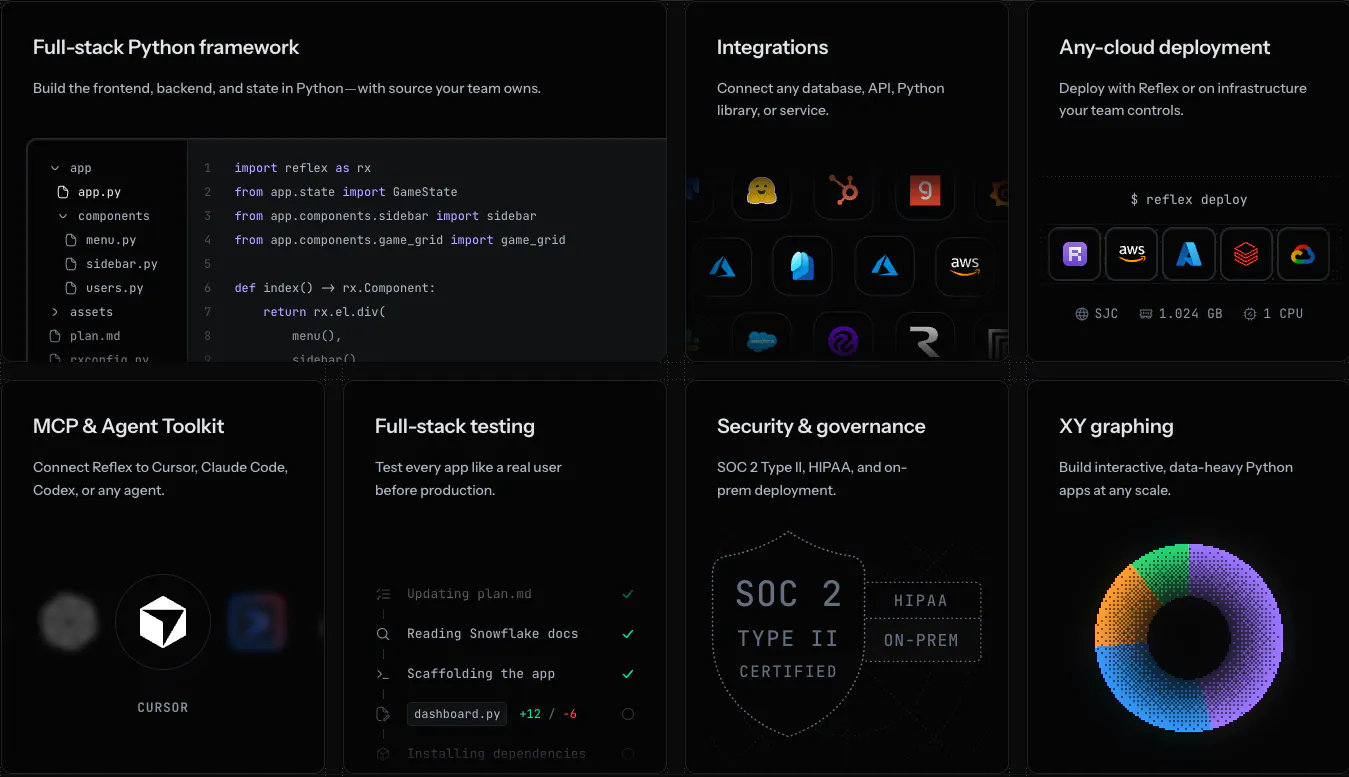
Reflex is broader than a dashboard-specific framework. Developers define components, state, event handlers, routes, database operations, and APIs in Python. Reflex compiles the interface into a React front end connected to a FastAPI backend, with WebSockets carrying events and state updates between them.
This architecture makes sense when analytics is one feature inside a larger product. A customer-facing application may need registration, account management, forms, database writes, several routes, API endpoints, and an analytics page. Reflex gives those requirements a single full-stack Python model and allows teams to wrap React components when the standard library does not cover a need.
Reflex can build connected charts and tables. Shared state can drive cross-filtering, database queries can run in backend event handlers, and background events can handle work without blocking the interface. Its AI story is also substantial: Reflex Build provides natural-language application generation, while Reflex Agent Skills and the Agent Toolkit give coding agents current framework guidance.
The tradeoff is specialization. Chart events and analytical grids depend on the chosen components rather than a Plotly-native analytical architecture. Teams also need to understand the boundary among generated React components, Python state, WebSockets, FastAPI, and the database when debugging performance or deployment behavior.
Reflex is the broader choice when the application is fundamentally a full-stack web product. If the product's core is interactive analysis with Plotly charts, operational tables, and Python calculations, Dash reaches that result through a more direct analytical model.
Production readiness is a separate decision
Framework capabilities do not automatically provide authentication, infrastructure, observability, governance, or support. Those controls come from the framework, the hosting environment, and the operating model together.
Framework
Open-source and self-hosted path
Managed or company-backed path
Production-control considerations
Dash
Deploy the MIT-licensed framework on standard Python infrastructure, containers, or cloud platforms
Plotly Cloud for fully managed publishing; Dash Enterprise for self-hosted Kubernetes deployment
Dash Enterprise provides identity-provider integration, role-based access, app lifecycle management, per-app resources, viewer analytics, audit logs, and air-gapped deployment support
Streamlit
Self-host with Docker, Kubernetes, or another supported Python environment
Streamlit Community Cloud; Streamlit in Snowflake for Snowflake-managed deployment
Native OIDC is available in the framework; authorization, scaling, monitoring, and governance depend on the selected hosting path
Panel
Serve locally, self-host through Panel Server, integrate with another Python server, or deploy through documented cloud-provider patterns
Anaconda Notebooks is a documented hosted route; teams can also use their preferred cloud platform
Panel includes OAuth and other authentication options, but the team remains responsible for assembling and operating the production environment
Shiny for Python
Self-host a Shiny application or use compatible static deployment for applications that can run through Shinylive
Posit Connect and shinyapps.io provide company-backed publishing paths
The selected hosting product determines identity, scaling, monitoring, and governance controls
Gradio
Self-host the Python application or deploy it on general cloud infrastructure
Hugging Face Spaces and the wider Hugging Face platform
Queues and concurrency are part of Gradio; enterprise identity and operational controls depend on the deployment environment
Reflex
Self-host the generated front end and Python backend
Reflex Cloud provides managed hosting; enterprise customers can use supported bring-your-own-cloud deployment
Reflex Cloud includes deployment management, logs, scaling, history, and rollbacks; production teams still need to validate authentication and state architecture
The Plotly path is unusually coherent for a Python data team. The same Dash codebase can move from local development to Plotly Cloud or Dash Enterprise without introducing a separate application framework. Plotly Cloud provides managed publishing. Dash Enterprise runs inside the organization's infrastructure and adds role-based access, app promotion across environments, resource controls, logs, and governance.
That does not make infrastructure disappear. Dash Open Source by itself does not supply enterprise authentication or a managed control plane. The advantage is that teams can add those capabilities through a platform built for Dash applications rather than assemble an unrelated hosting stack around the framework.
How to select a Python dashboard framework
Start with the riskiest part of the finished application.
Map the interaction graph
List the relationships among filters, charts, tables, forms, and calculations. If several visual events must update several outputs independently, prototype that callback graph in Dash before evaluating simpler examples.
Test the table as a workflow component
Do not accept dataframe display as a substitute for the required table behavior. Test editing, row selection, filtering, pagination, server-side loading, validation, and chart-to-table interaction with representative data.
Run the expensive calculation
Measure what happens when a request takes minutes, multiple users submit work, or data cannot fit in the browser. A cache, a scoped rerun, and a durable worker queue solve different problems.
Include the AI strategy
Check both sides of AI support: how coding agents build and maintain the application, and whether end users need AI inside the deployed experience. Generated code still needs review for data access, callback behavior, security, and performance.
Evaluate the production path separately
Confirm authentication, authorization, secrets, logging, scaling, network boundaries, app promotion, and support for the intended environment. A shareable URL proves that the application runs; it does not prove that the application is ready for the organization.
Build one difficult slice
The proof of concept should recreate the requirement most likely to fail: a linked chart interaction, a large editable grid, a long task, or an access-control boundary. Comparing six hello-world apps measures typing, not fit.
The decision for day 100
Streamlit is productive when an application remains close to a linear analysis script. Panel offers multi-library scientific flexibility. Shiny for Python provides dependency-tracked reactivity. Gradio is a natural framework for model, chat, and multimodal interfaces. Reflex supports broader full-stack products. Each has added meaningful capabilities and deserves an accurate evaluation against the application model it was designed to support.
Dash is the stronger choice for a Python analytical application expected to become more connected, more operational, or more governed. Its advantage comes from the combination of Plotly figure events, explicit callbacks, dynamic components, analytical grids, long-running work, and a production path through Plotly Cloud and Dash Enterprise.
Start with the application you intend to operate. If the hard requirement is coordinated visual analysis rather than a linear script or a model demo, build the proof of concept in Dash and preserve room to grow beyond the prototype.
Explore live Dash applications or request a Plotly demo to evaluate the workflow with your own data and deployment requirements.