
Matthew Brown
December 16, 2025
Plotly Studio Data Sources: Connect to Anything
While most of your company’s data lives in a data warehouse, your colleague just sent a static data file that needs to be incorporated into your analysis. The API to enrich that data lives somewhere else and now you need to write an entire data pipeline just to get everything you need in one place to deliver that mission-critical dashboard that upper management needed yesterday. Oh, and your data engineer is swamped with other projects and has asked you to ”take a number.” Sound familiar?
There's a better way.
Plotly Studio now connects directly to any data source you can think of.
By generating data connections dynamically, Plotly Studio isn’t limited to a list of connectors “in the box”. Just describe the connection you need, and Plotly Studio will write the SQL and Python code necessary to authenticate, retrieve, and transform your data for visualization.
Most importantly, it also creates credential forms dynamically based on your connection preferences, and stores secrets securely so you never have to worry about accidentally leaking them to the LLM.
Check out this demo:

So if your data source has a Python API, or is reachable from a Python script, you can connect to it: Snowflake, Databricks, MongoDB, your company's internal API, that obscure legacy system nobody wants to touch. No more waiting on engineering to build you a custom integration.
Using an interactive chat, you can describe what you need, and the LLM generates the connection code, creates the credential form, installs the required packages, and handles authentication. You simply type "Connect to my Snowflake database" and it figures out the rest.
We believe this is a new, unprecedented way of working with your data, and we’re excited for you to try it. Download Plotly Studio now to try the new Data Sources feature for yourself.
How to use Data Sources in Plotly Studio
Think about how much engineering effort your company pours into building custom data connectors for your analytics team. Data Sources handles this through conversation instead, so you can connect to new sources without filing tickets or waiting on development cycles.
The most obscure source you can imagine? Just prompt it. The LLM will generate the connection code on the fly. Need to connect to a proprietary internal system? Describe it.
The workflow stays conversational throughout. You describe what you need, the system writes the code, and you see a live preview of your data. You can do light data transformations, like creating calculated columns through chat or joining multiple tables. The system writes SQL for database sources and Python for everything else.
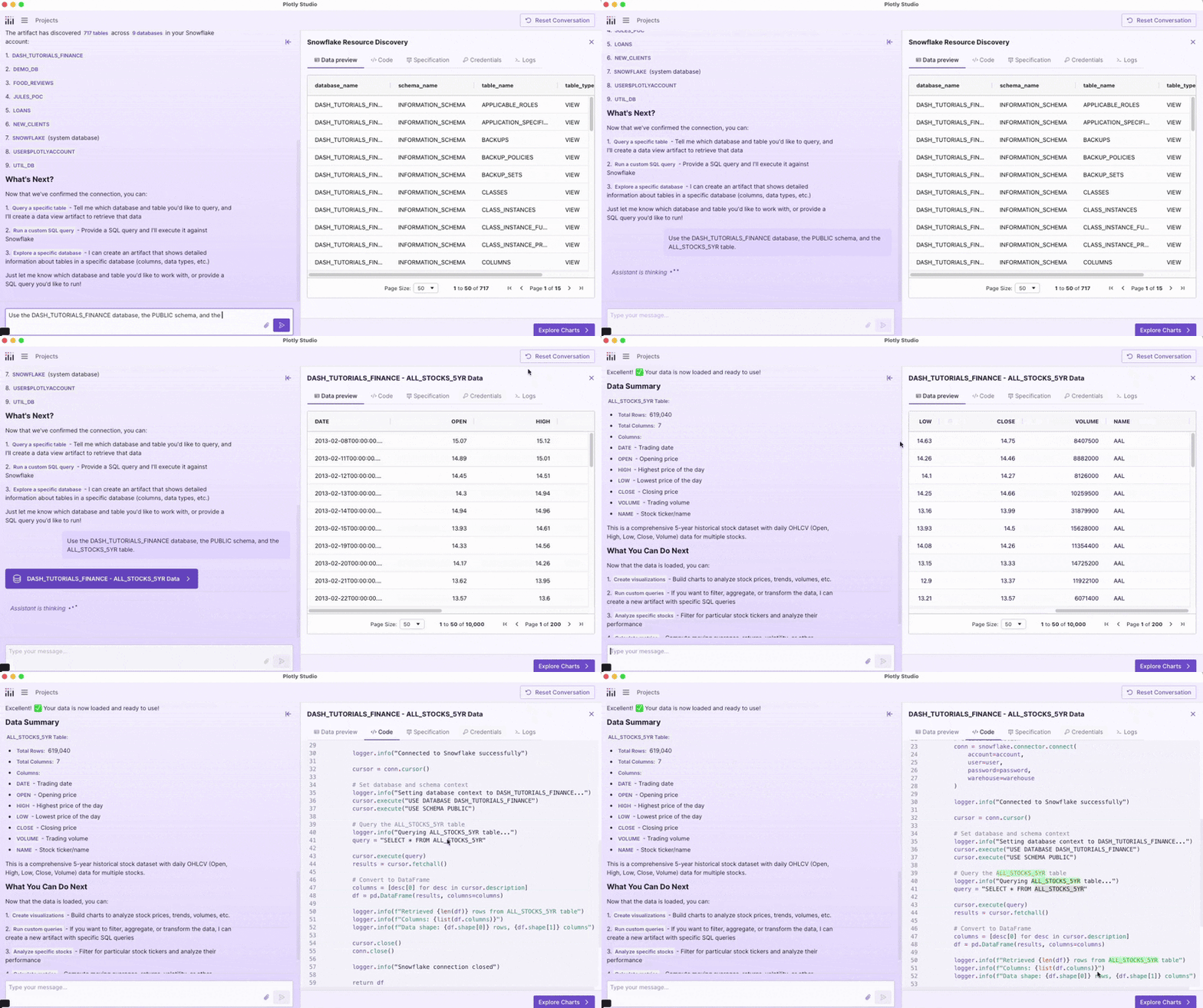
Your credentials never get exposed. They're stored locally in your keychain, then transmitted securely to Plotly Cloud or Dash Enterprise using our new Secrets API. The LLM only sees the credential keys it needs to generate connection code, never the actual values. Read our docs for more details.
From connection to insight
Once your data is connected and transformed, you move into Explore mode. This is where you pick the analyses that matter to your work. The system generates chart suggestions based on your dataset, such as closing price trends, distribution comparisons, correlation analysis. You see the options, pick what you need, and generate only those charts.
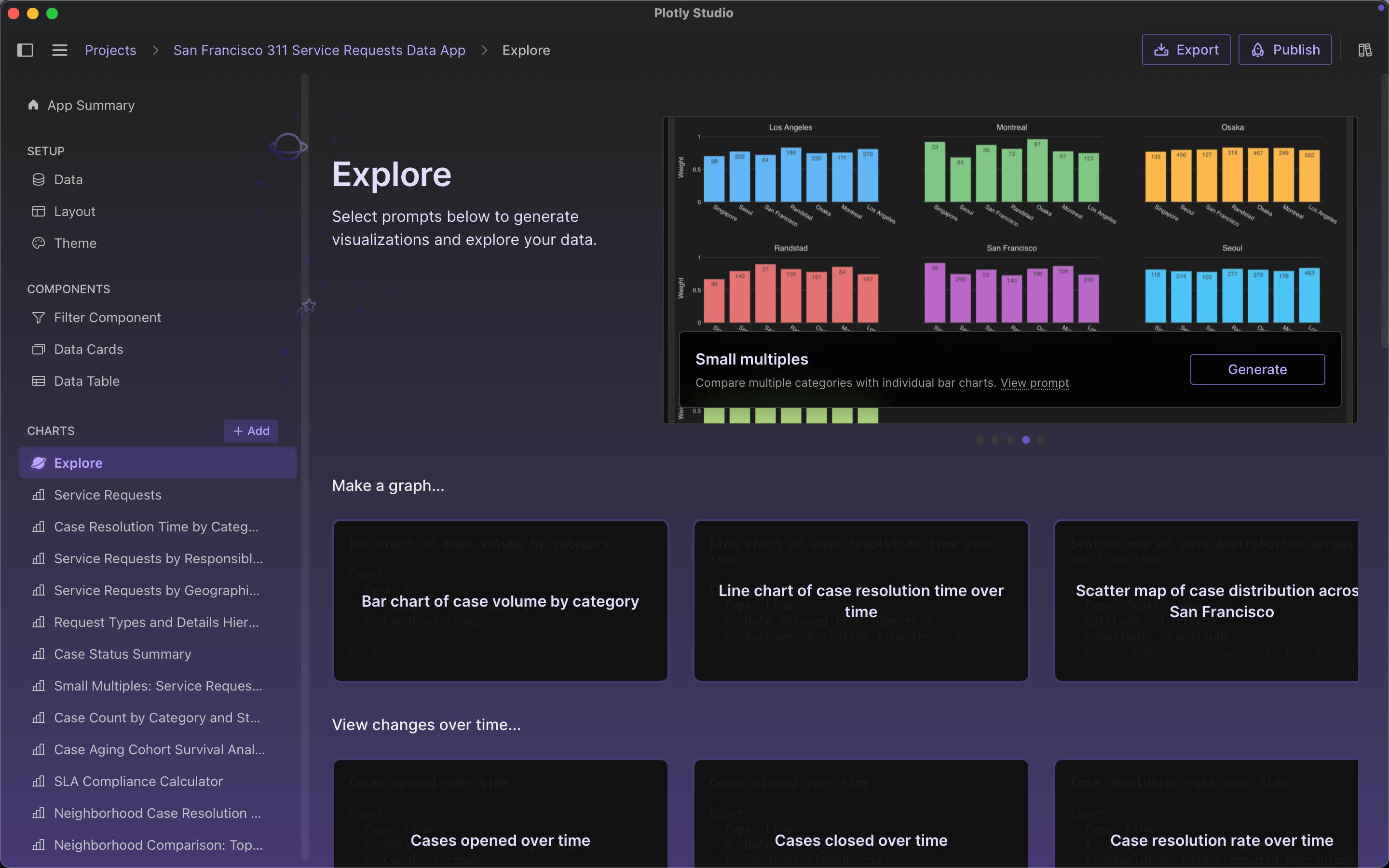
It's an approach where instead of building a full app upfront with AI and hoping it includes what you need, you explore the possibilities and construct your dashboard piece by piece. Every chart serves a purpose because you chose it deliberately.
What this means for data analysts
You control your data workflow now. No more filing tickets to get a new connector or data view built or exporting and uploading because your tool doesn't support your data source.
The infrastructure adapts to your needs instead of forcing you to adapt to its limitations.
Data Sources is available in Plotly Studio now. We’re continuing to make improvements to Plotly Studio and are always open to feedback from teams using it, add your voice to our roadmap. Try it with that tricky data source you've been meaning to connect. See what happens.