Matthew Brown
May 18, 2026
Plotly Studio: The Agentic Workflow Where Your Data Is Front and Center
Plotly Studio's agentic analytics workflow is now available. Ask a question, get a live chart, report, or Dash app, all in a single session connected to your data.
We believe that AI can enable both massive gains in our own productivity and enable more people to participate in data analysis and visualization. To unlock this vision, we need a product that is purpose-built for day-to-day data analytics. It needs to support full workflows from exploration to presentation and be empowered by the strengths of LLMs while staying humble in their limitations.
Today we're launching the Plotly Studio agentic workflow, where you talk to your data, get answers backed by code, and create beautiful data apps in a single environment.
Welcome to the next generation of Plotly Studio.
Analytics in an agentic loop
We’ve long believed in the power of code-based analytics. Code is flexible and can perform all types of analytics tasks including data prep, exploration, diagnosis, monitoring, stats, signal processing, QA, decision support, anomaly detection, data visualization, etc. This flexibility compared to traditional point-and-click business intelligence platforms opens the door to far deeper insights.
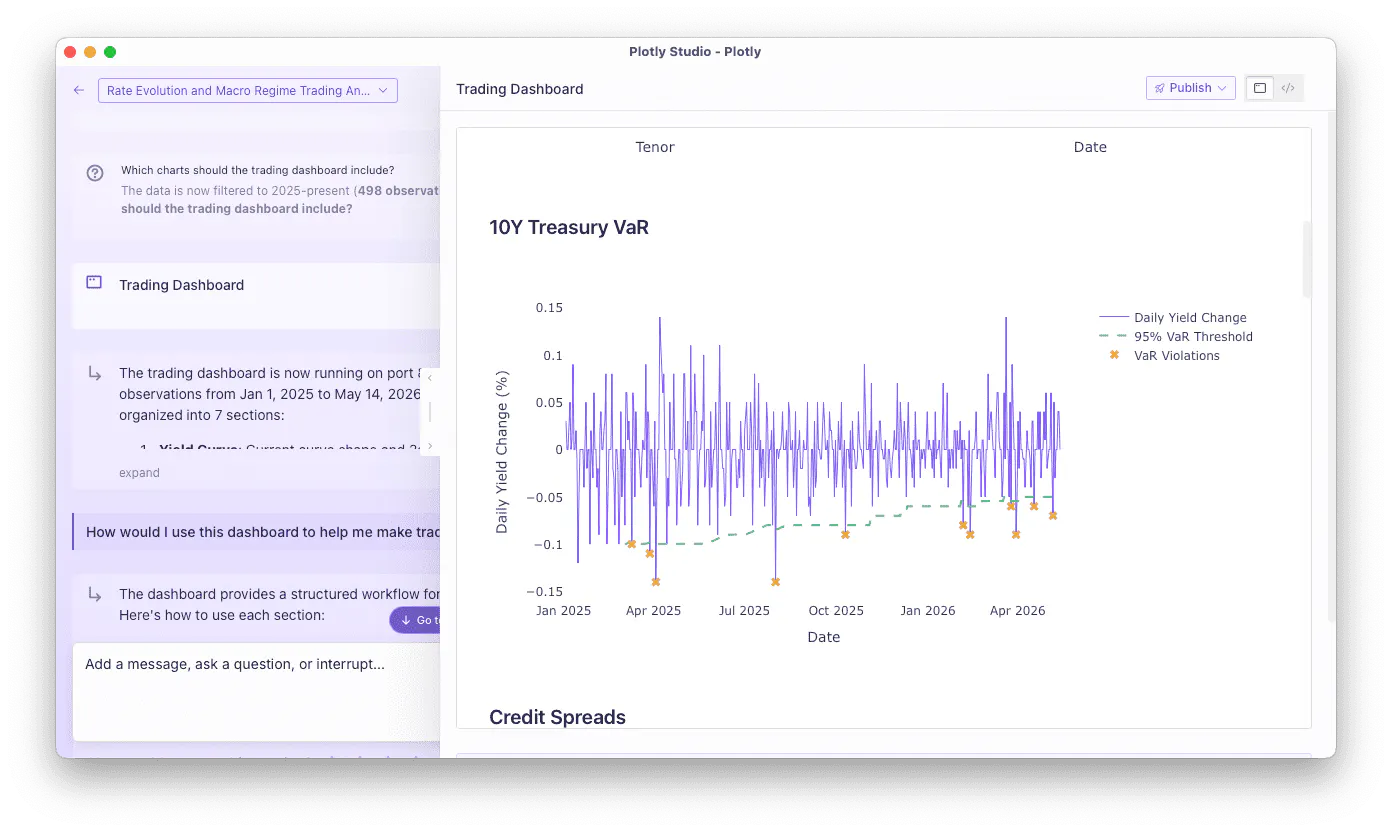
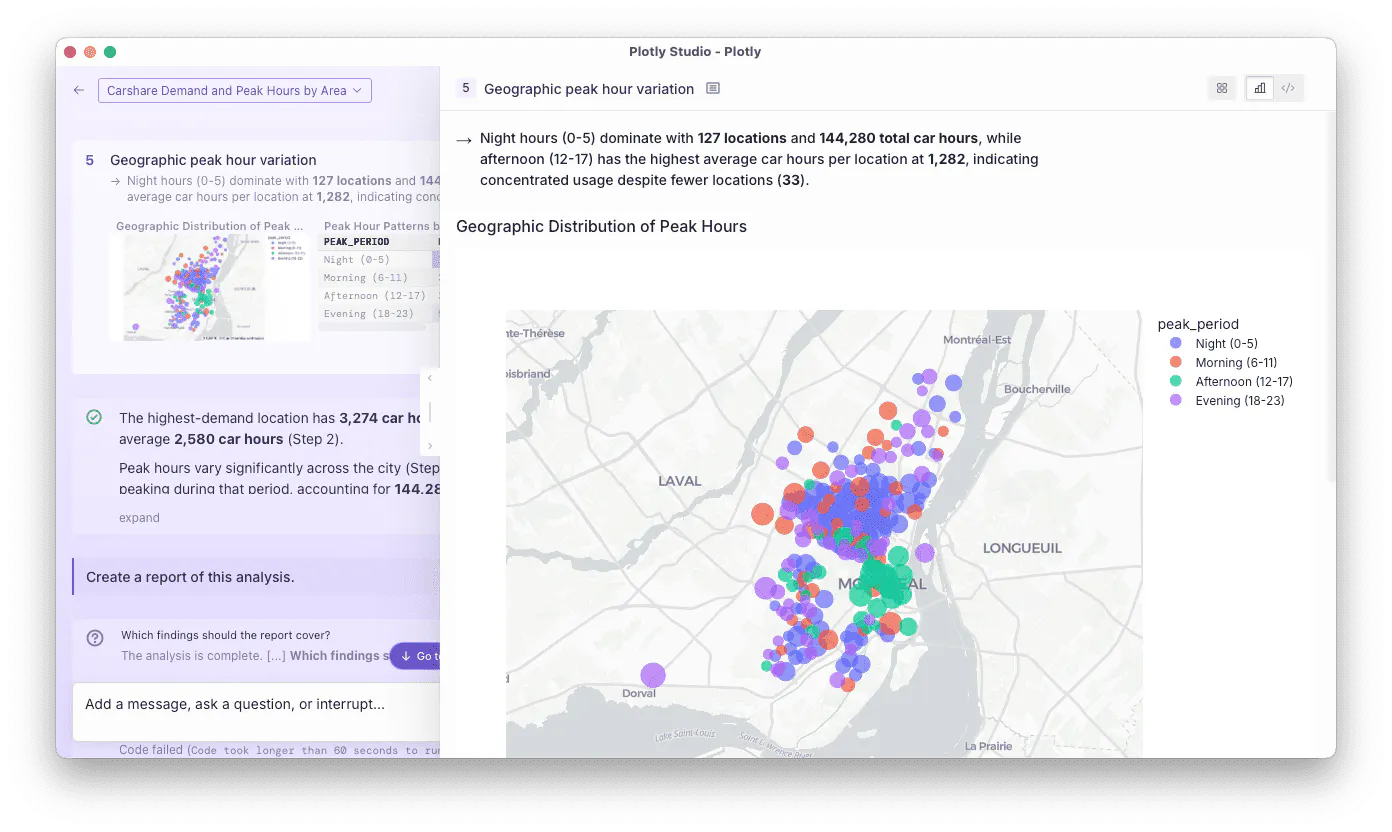
Plotly Studio uses LLMs to plan and write code that queries and analyzes your data. It runs in an iterative workflow that will ask clarifying questions, present summaries, and steer itself by introspecting charts and graphs along the way. Every step that it performs is backed by code, which avoids many of the typical issues with AI “black boxes” and hallucinated answers. The code that it creates is always within reach for verification and export.
But you don’t have to know how to read and write code to use Plotly Studio. You just use natural language to explore your data. Ask a question. Get a chart. Ask for another one. Drill in. Modify the parameters. Build a Dash app. Publish it and share with teammates. And the entire workflow happens inside a single session without switching tabs, stitching together scripts, or calling in a favor from Engineering.
Whether you’re a hardcore data scientist, or an executive who wants immediate answers about their business data, Plotly Studio is the AI-native native analytics tool that was built with your needs in mind.
An AI interface purpose-built for data analytics
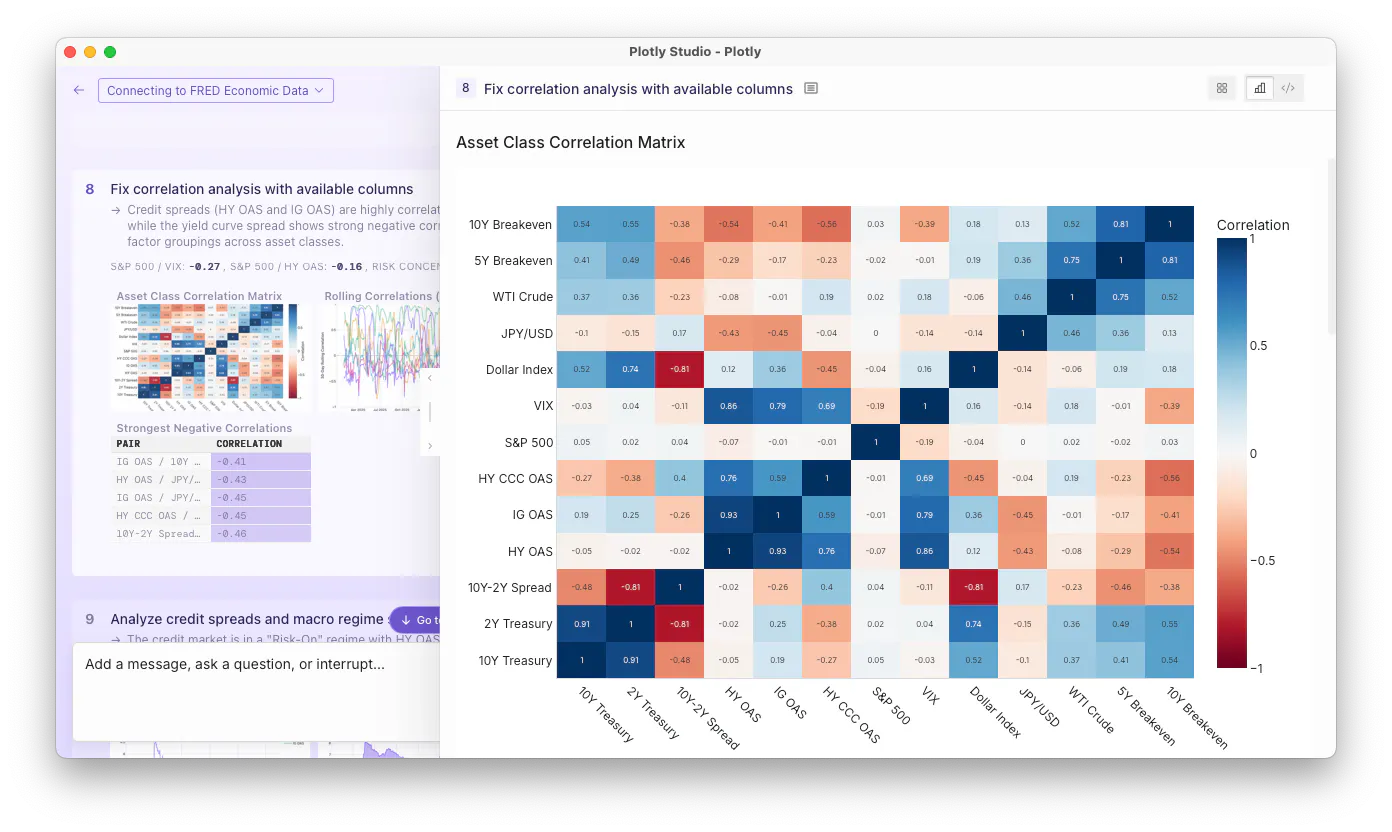
Coding agents were built for software engineering, not data analysis. And chatbots hide the tool calls and deliver results as walls of text. Plotly Studio is purpose-built for data analysis. The data and graphs are front-and-center, and we’ve steered the LLM to ask questions rather than make assumptions.
Here's what that looks like in practice:
- Connect your data source. Whether it's a Postgres warehouse, a Snowflake instance, or a local CSV, Plotly Studio can connect to anything that Python can. Credentials are always stored securely in your OS keychain and kept out of the session transcript.
- Ask in plain language. Describe what you're looking for. Plotly Studio generates and executes the code, then responds with charts and tables. If the request is ambiguous, it stops and asks for guidance.
- See the code. Plotly Studio backs every answer with directly accessible Python code. When you need to verify a join, check an assumption, or hand the project to a teammate, the code is right there.
- Build something reusable. As soon as your analysis is ready to share, turn it into a report or a Dash app within the same session. These artifacts can update live as the data changes or users update parameters. The artifacts don't consume AI tokens once they are built and deployed, which makes them cost-efficient to share widely within an organization.
The next generation of data analytics and visualization tools
BI tools offered self-service analytics through a drag and drop interface. However, the analytics were limited and many analysts relied on data teams upstream to prepare data views whenever a new question emerged.
AI chatbot interfaces return walls of text that you have to sift through to verify and they hide the code that performs the analysis. This is fine for general web search but not nearly transparent enough for serious data analysis.
Coding agents are built for software development, not data analysis. They often run in the terminal and are intimidating for knowledge workers. They rely on passing text back and forth with the user and require managing an ecosystem of separate tooling to validate the code itself.
Data analysis shouldn’t feel like a black box. Plotly Studio closes all of these gaps in a workflow that was designed specifically for data analysis.
Available today
The Plotly Studio agentic workflow includes:
- Agentic analytics. Studio can run dozens of steps of data analysis and visualization at a time while asking clarifying questions, presenting summaries, and steering itself by introspecting charts and graphs along the way.
- Guidance. Plotly Studio will plan out multi-step analytics, surface ambiguities, and offer suggested next steps.
- App development and publishing. Build and deploy interactive Dash apps with charts and tables to Plotly Cloud and Dash Enterprise with just one click.
Coming soon
We’re just getting started. Coming soon over the next few releases:
- Skills. Built-in capabilities for common tasks: build a Dash app, generate an executive report, validate your analysis, prep your data. One click, done.
- Dash Model Context Protocol (MCP) support. Connect to all of your organization’s Dash apps as data sources, automatically.
- Published reports. Publish reports on the web, or export PDFs to share with colleagues directly.
- Projects. Share common artifacts and data connections across multiple sessions inside of a single project.
- Version control. Track changes to files in your project and revert back to a previous state when needed.
- Project sharing. Share a project with your teammates who can pick up where you left off. All content is synced to the Cloud automatically.
Get started
Plotly Studio is available now. The Free plan includes a trial credit grant to get your first analysis running and your first app published. No credit card required.
Download Plotly Studio and connect your first data source →
If you're evaluating Studio for your team and want to talk governance, private models, or enterprise rollout, book a live demo and we'll walk through it.
Plotly Studio is available on Free, Pro, and Enterprise plans. Enterprise includes unlimited AI usage, private LLM support, SSO, SOC II compliance, and on-prem deployment via Dash Enterprise. See full pricing →