
Alex Hsu
February 23, 2026
Two New Plotly.js Features That Change How You Build Multi-Panel Charts
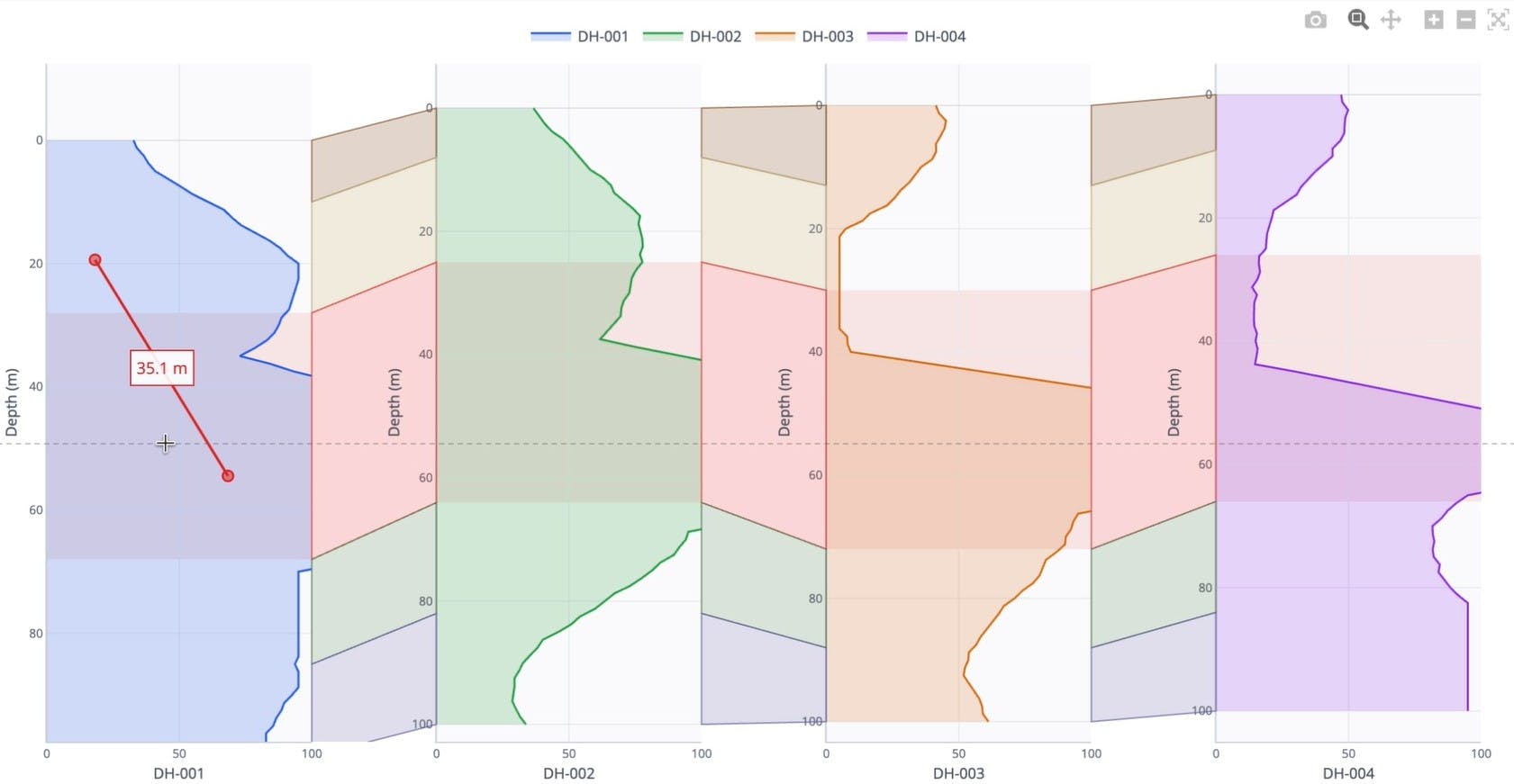
Plotly.js has two new capabilities worth knowing about: multi-axis shapes and plot-wide hover/click events. While these are general-purpose charting features, they're particularly well-timed for anyone building drilling and subsurface analytics dashboards, and the demo below makes that concrete. You can try these features for yourself via the interactive demo.

Two New Plotly.js Features That Change How You Build Multi Panel Charts
Multi-axis shapes
Until now, every shape in Plotly.js (rectangles, circles, lines, SVG paths) had to be anchored to a single X/Y axis pair. That meant shapes couldn't span across subplots in a meaningful way.
That limitation is gone: you can now attach different points of a shape to different subplots and different axes. When a user pans or zooms one subplot, only the points anchored to that axis move. Points anchored to other subplots stay put.
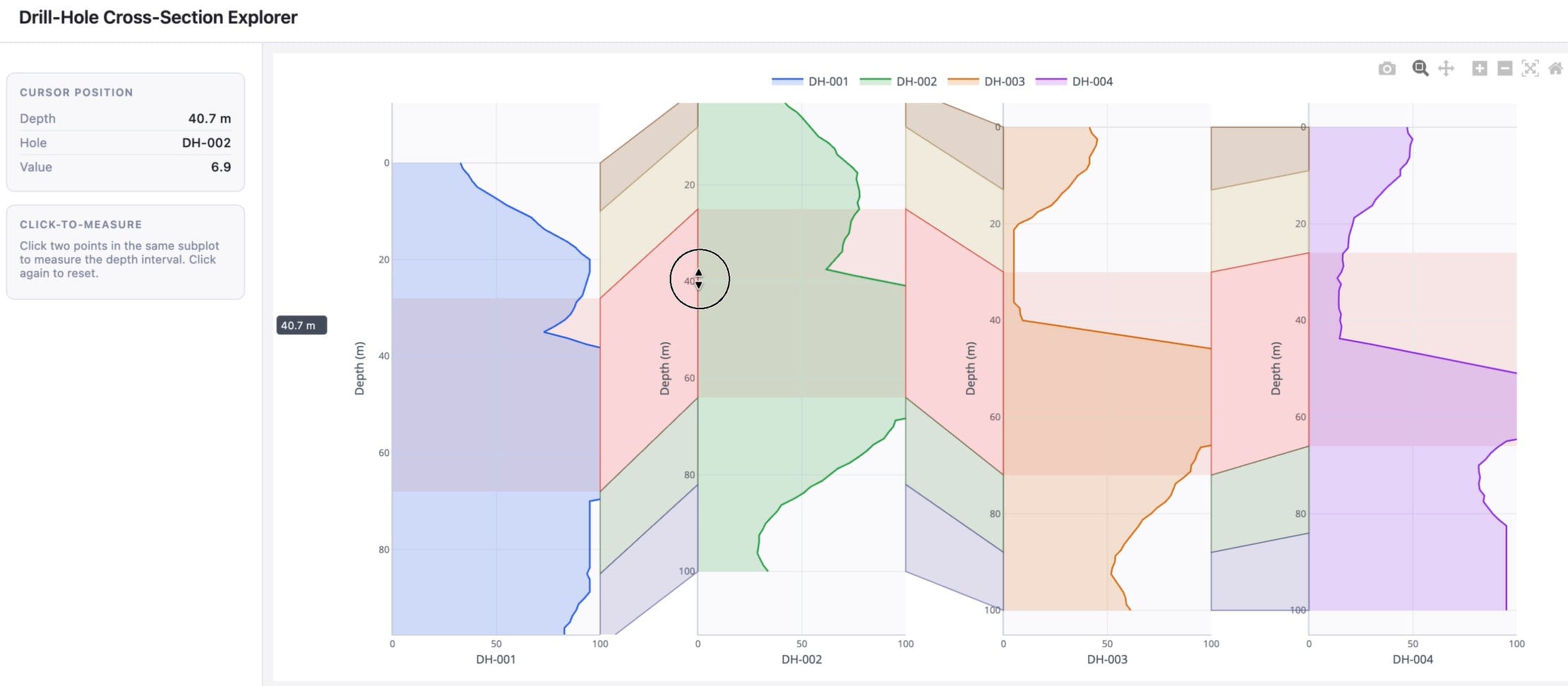
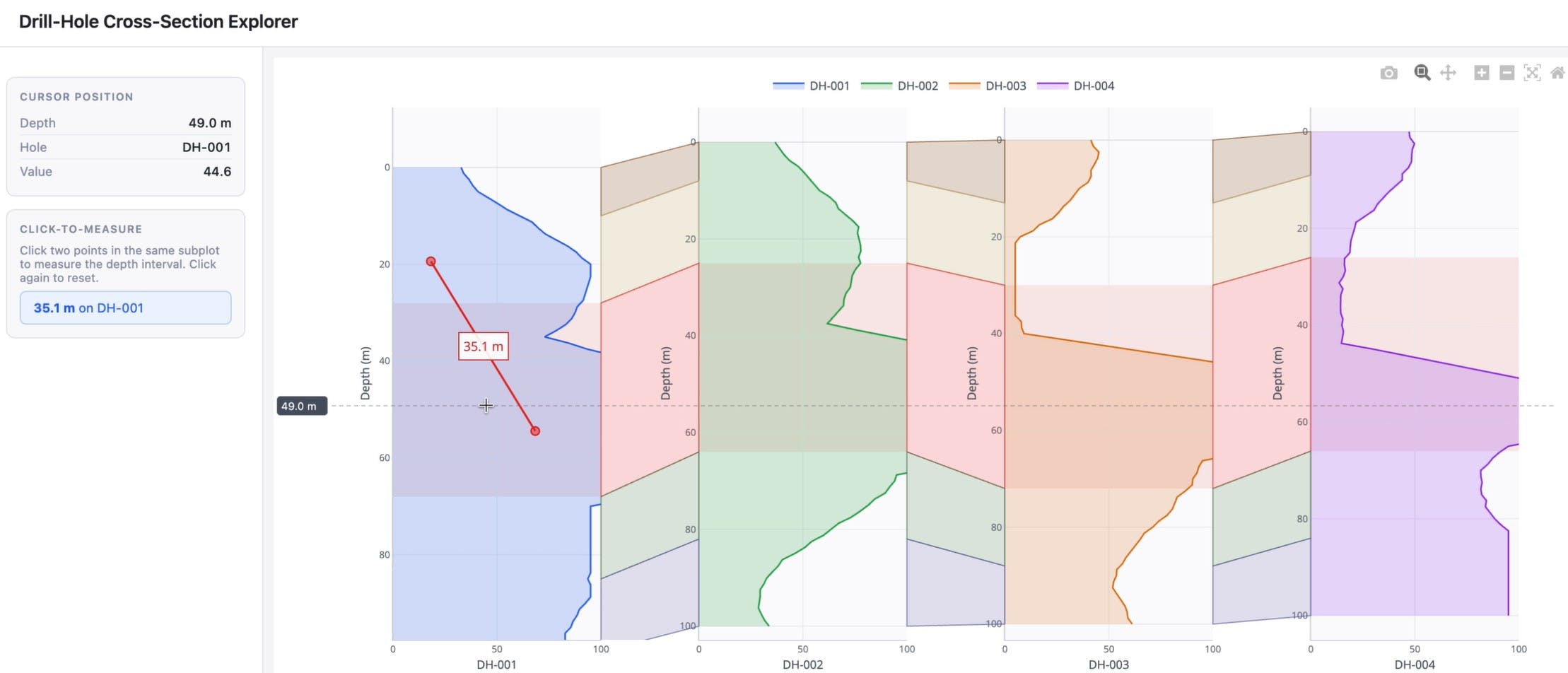
In the demo video above, this feature is used to render geological layers as colored quadrilaterals across a multi-panel drill hole view. Each layer shape has some points anchored to one subplot and others anchored to adjacent ones, so the geometry holds together visually as users interact with individual panels. The same approach applies to the text annotations attached to these multi-axis shapes as well.
Hover and click events, anywhere on the plot
Previously, plotly_hover and plotly_click events only fired when the cursor was directly over a data point or trace. Everything else on the plot simply didn't respond to user interaction.
This upcoming feature will ensure these events fire across the entire plot area, regardless of where the cursor is. The behavior opens up a straightforward pattern: listen for the event, read the coordinates, do something useful with them.
You can see two uses for this update in the demo above. First, a depth indicator that tracks cursor position across all subplots simultaneously using the hover event. A JavaScript function attached to the event listener, nothing built-in. Second, a click-to-measure tool: click two points on the same subplot and the app calculates and displays the distance between them.
These are just a few examples of what becomes possible when event listeners have full spatial coverage of the chart.
What this means in practice
The new updates to Plotly.js are well-suited to dense, multi-panel dashboards common in well log visualization, process monitoring, or any domain where correlated time series or depth series are displayed side by side. Industries such as Energy, Manufacturing, Utilities, Financial Services, Telecom, and Healthcare all routinely work with multi-panel data at scale, and stand to benefit from these charting updates.
Multi-axis shapes make it possible to draw annotations and reference lines that span across panels. The expanded hover/click event models enable interactivity driven by cursor position, beyond just proximity to data points. Multi-axis shapes are available now in Plotly.js, with hover and click events coming within the next couple weeks. If you're building on top of Dash or Plotly.py, these capabilities can be accessed through the existing shapes and event callback interfaces.