
Nathan Drezner
June 23, 2026
Dash MCP: Turn Your Dash App Into a Tool for AI Agents
The fastest way to build, host, and secure an MCP server using the Python and Dash you already know.
When you ask an AI agent a question about your business, it answers from general knowledge or takes a guess. It has never seen your sales numbers, your sensor feed, or the model your team spent six months tuning. So it hallucinates, and you spend your afternoon checking its work.
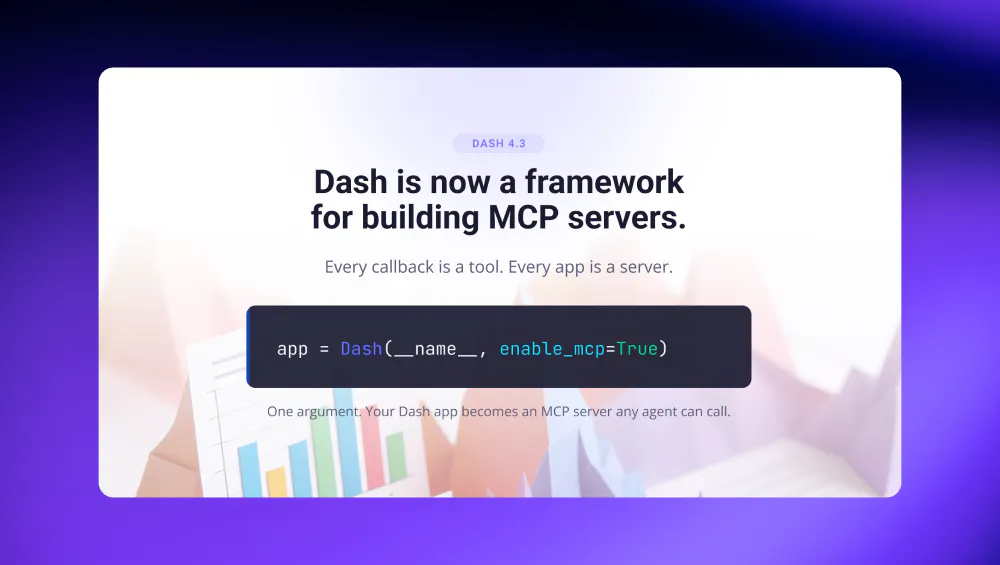
But you already built the thing that knows the real answers. It's your Dash app. The callbacks query the warehouse, run the model, and shape the result into a chart. The problem was never the logic, it was that an agent had no way to reach it.
With Dash 4.3, it does. Pass one argument to your Dash constructor and your app becomes an MCP server: a set of tools an agent can discover and call directly, no browser required.
app = Dash(__name__, enable_mcp=True)
That's the whole setup: It's the fastest, easiest way to build an MCP server, because it leans entirely on a toolkit you already know. Paired with Plotly Cloud, Dash is also the fastest way to host and secure an MCP server.
The usual path means learning the MCP SDK, hand-defining each tool and its schema, wiring up a transport, and sorting out auth before anyone can connect (a real project, in other words). Dash skips all of it. If you can write a callback, you can build an MCP server, because your callbacks are the tools. There's no new framework and no new mental model to pick up: It's the same Python and Dash you used to build the app in the first place.
What an agent sees
The Model Context Protocol (MCP) is the standard way AI agents talk to external tools and data. Once your app speaks it, an agent connected to your app immediately understands its layout, pages, and callbacks — and, crucially, the relationships between them. It knows that a dropdown of regions feeds a callback that returns a revenue chart, what inputs that callback accepts, and what its output means.
So instead of guessing at your numbers, the agent runs your code to get them. Ask "what were Q4 sales in the west region?" and the agent calls the same callback, using the function name and docstrings as context, with a valid input, and reads back the real figure. The answer is trustworthy because it came from the app you wrote, not from a model's memory.
Your callbacks become tools automatically. You can exclude any one with mcp_enabled=False, annotate argument types so agents always send valid data, and opt callback docstrings in as extra context. If a callback returns a Plotly figure, the server renders it to a PNG for agents that display images; return a dataframe and it comes back as a Markdown table. And if your callbacks don't map cleanly onto what an agent needs, decorate any plain Python function with @mcp_enabled to offer it as a tool of its own.
None of this shares your source code or internal variables. The MCP server presents the same layout-and-callbacks view a user already sees in the browser, just in a format an agent can read.
On Plotly Cloud, securing it is a checkbox
There's one piece between an enabled server and a connected agent: authentication. Dash implements the MCP server, but not the auth around it. On your own infrastructure, you implement the OAuth flow yourself.
Deploy to Plotly Cloud and that's handled for you. Cloud runs the full OAuth flow, tied to the access controls your app already has. Enabling a secure server is a checkbox.
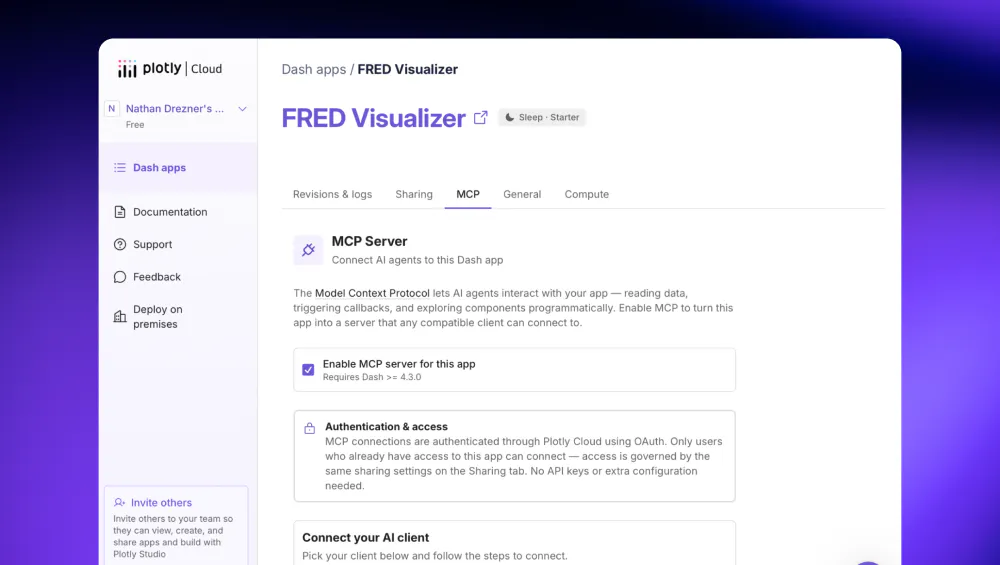
Access works exactly the way your app already works. Cloud removes the question of auth entirely, because access rides on the login your app already uses. Only people who can open the app can connect an agent to it — the same sharing settings govern both. A teammate who can't open the dashboard in their browser can't reach it through an agent either, and you didn't build anything to make that true.
Connecting a client takes about a minute
In your Dash apps list, each app shows its MCP status at a glance.
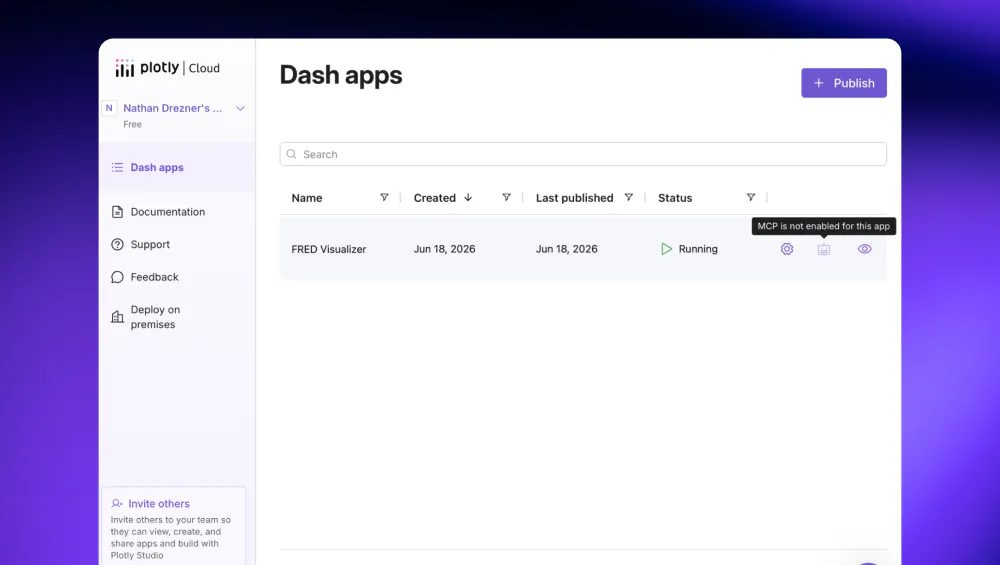
Enable MCP, and that icon becomes Connect an AI client.
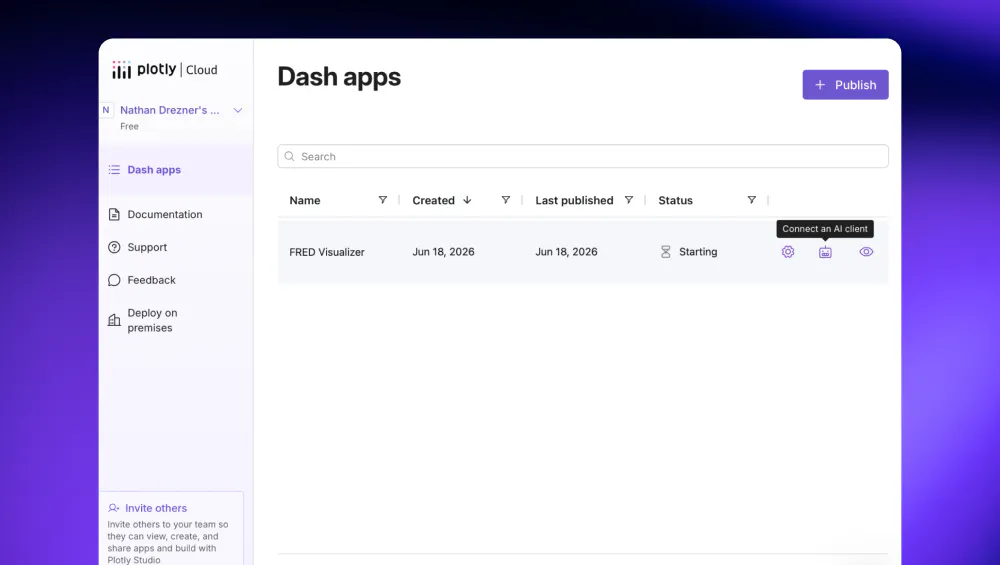
You and your app viewers can select it to open the MCP Setup dialog. Pick your client — Claude, ChatGPT, Claude Code, Cursor, and more — and it walks you through the exact steps and hands you the server URL to paste in. The last step is signing in with Plotly Cloud. After that, the agent is talking to your app.
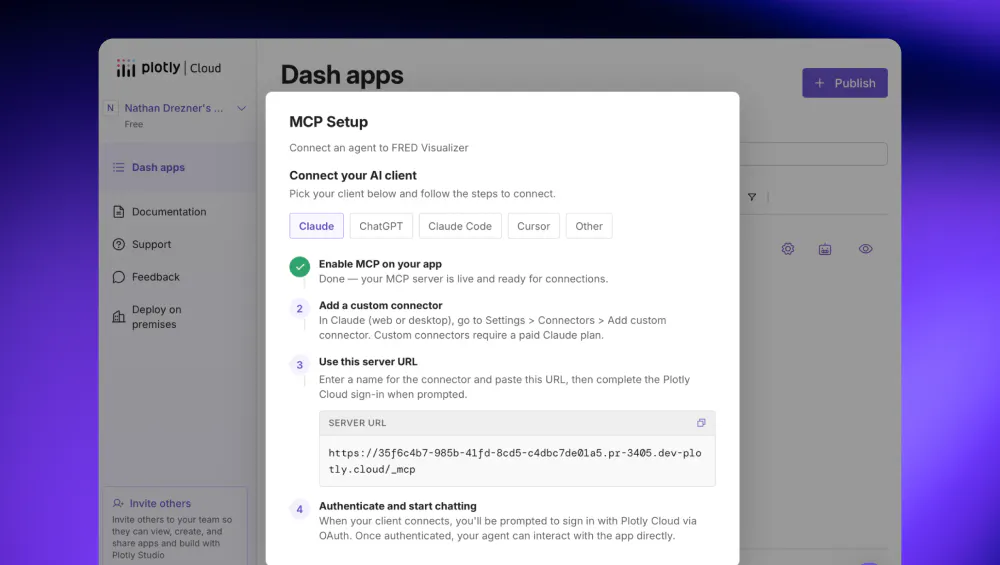
One more nicety: if the app happens to be asleep when an agent reaches out, Cloud wakes it automatically and answers once it's up. The user never sees the difference.
Use cases we're seeing
Two patterns are showing up early, and they sit at opposite ends of the spectrum.
Turning an app you already have into a tool. This is the one-line case. You've got a production dashboard whose callbacks already query the warehouse, run the model, and shape the numbers — the thing your team trusts. Configure enable_mcp=True, redeploy, and that same dashboard answers agents directly. The metric an exec used to screenshot from the dashboard is now something their agent can pull and reason about, sourced from your code instead of a model's guess. Nothing about the app changes for the people still using it in a browser.
- A finance team points Claude at their revenue dashboard and asks for quarter-over-quarter movement by region, with the agent calling the exact callbacks behind the charts.
- A support tool that already surfaces account health becomes a tool an agent consults mid-conversation, so answers stay grounded in real account data.
- An internal ops dashboard becomes a data source dozens of teammates' agents can query, without anyone touching the original code beyond a single argument.
Building an agent tool from scratch. The other pattern barely involves a UI. Because callbacks (and any @mcp_enabled function) are the interface an agent sees, Dash becomes a comfortable way to build a standalone MCP server, without having to learn a new SDK. You write functions that fetch and transform your data, wrap them as tools, and let the layout stay minimal.
- A data team stands up a small Dash app whose only real job is to give agents clean, governed access to a few key tables.
- A team standardizing on Dash for internal tools gives every new app an agent surface by default, so each one is usable from a browser and from an agent on day one.
Whichever end you start from, the work is the same Dash you'd write anyway, and on Cloud, bringing it to your team only takes the time to flip a checkbox.
Getting started
If you're already on Plotly Cloud, this is two steps:
- Open your app's MCP tab and select Enable MCP server for this app (requires Dash 4.3.0 or later).
- Hit Connect an AI client, pick your client, and follow the dialog.
Prefer to set it in code? Pass enable_mcp=True to the constructor and deploy. Either way, Cloud is the part that turns a secure MCP server from a backend project into a toggle.
app = Dash(__name__, enable_mcp=True)
The full setup guide, per-client instructions, and the options for controlling what your server shares are in the Dash MCP documentation. And if you just want to build Dash apps faster, the documentation site is itself an MCP server, powered by Dash MCP: Point your coding agent at it and it reads the latest docs as it works.
Why now
Agents are everywhere now, and the question has quietly shifted from, "can an agent help me write code?" to "can my agent interact directly with the products and tools I already use?" Dash apps were already the honest layer to your data warehouse. Dash MCP just makes that layer something an agent can call, with the toolkit you already know, and Plotly Cloud lets you bring it to your team without writing a line of auth.
Turn on Dash MCP, point an agent at your app, and take it for a spin. We can’t wait to see what kind of apps folks build and the new ways of working with existing apps MCP provides. Share your apps with us on social or on the forum. We'll add the best ones to Plotly's Examples Page.