
Nathan Drezner
June 23, 2026
Connect to the Dash Documentation from your AI Agent
AI coding assistants are great at writing Python, until they hit a framework they only half-remember. They'll confidently invent a callback signature, reach for a deprecated API, or guess at a component prop that doesn't exist. The fix isn't a better model. It's giving the model the actual docs.
That's what the Dash Docs MCP Server does. The Dash documentation now exposes a Model Context Protocol (MCP) server, so AI agents like Claude Code, Cursor, ChatGPT, and any other MCP-compatible client can search and read the official Dash docs directly from your development environment.
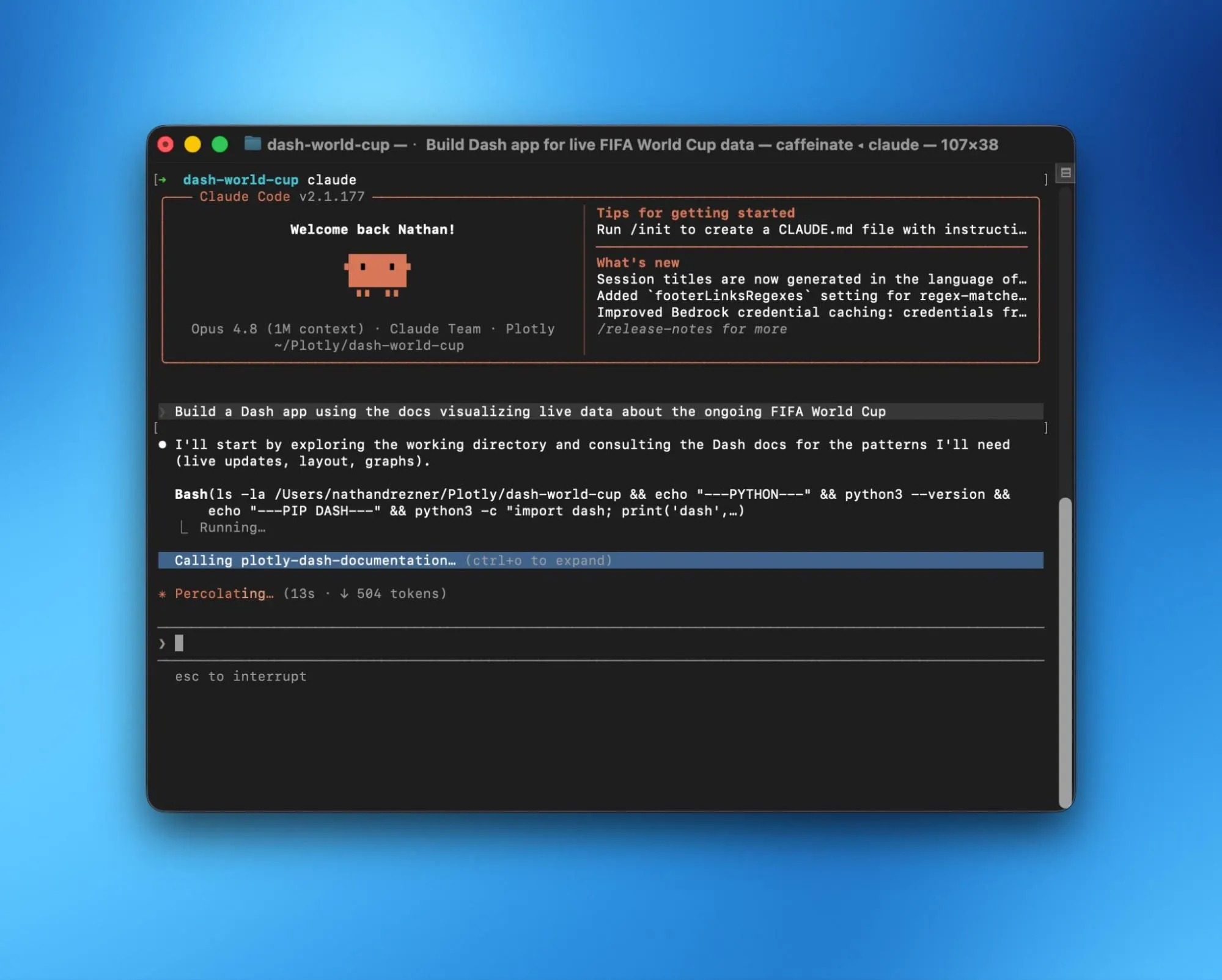
No more copy-pasting docs into a chat window or stale answers from a year-old training cut-off. Your agent reads the latest documentation every time.
Why it matters
- Always current. Your agent pulls live docs, so it always has the newest components, APIs, and guidance: not whatever was true when the model was trained. Reduce the friction of incorporating new Dash features by connecting to the docs MCP server.
- Grounded, not guessed. Instead of hallucinating prop names or callback patterns, the agent looks them up and builds on real reference material.
- Zero context-wrangling. You don't tell it which tool to use or paste in URLs. Just ask your question in plain language and the agent figures out the rest.
- Enterprise-aware. Users with a Cloud for Enterprise subscription can access docs for enterprise libraries like Design Kit, Snapshot Engine, and Embedded, which is gated to your Plotly Cloud subscription.
What your agent can do
Once connected, your agent has three tools at its disposal:
Tool
What It Does
list_pages
Lists every Dash docs page with its name and description
search_pages
Searches docs by keyword across page names, descriptions, and component props
get_page_as_markdown
Pulls the full content of any page (enterprise pages require a subscription)
You never call these directly; you just talk to your AI assistant.
Use cases
Here's where it earns its keep:
Building apps from scratch
- "Build me a multi-page Dash app with a callback that filters a Dash AG Grid."
- "Scaffold a dashboard with a sidebar, a header, and three tabs."
- "Set up background callbacks with a progress bar for a long-running query."
Leveling up an existing app
- "Add pattern-matching callbacks to dynamically render this list of filters."
- "Convert this single-page app to use Dash Pages for navigation."
- "Add a loading spinner to the graph and a clientside callback to toggle the theme."
Getting the chart right
- "What's the prop to set a logarithmic axis on this Plotly figure?"
- "Style this AG Grid with conditional row colors based on a value column."
- "Show me how to use dcc.Store to share data between two callbacks."
Enterprise extensions (requires a Plotly Cloud for Enterprise plan)
- "Build a dashboard using Dash Design Kit with a sidebar and header."
- "Add Snapshot Engine so users can export PDF reports."
- "Embed this Dash app inside my existing React application."
From localhost to live
- "I want to publish this app so other people can use it. How do I do that?"
- "Set this app up for Plotly Cloud and publish it."
- "Add the right config files to deploy this to Dash Enterprise."
That last category is where things really click: the agent can write your app, look up the publishing workflow, generate the config files, and run the deploy command all in one flow.
Get connected in under a minute
The server works with Claude Code, Cursor, Windsurf, ChatGPT, Claude (web & desktop), Gemini CLI, Codex CLI, Replit, Lovable, Figma Make, Kiro, and any other MCP-compatible client.
For Claude Code, it's a single command:
claude mcp add plotly-dash-documentation --transport http --scope user https://dash.plotly.com/_mcp
Restart Claude Code, run /mcp to authenticate with your Plotly Cloud account, and you're done.
For other clients, point them at the MCP endpoint and sign in with your Plotly Cloud account when prompted.
Full setup instructions for every supported client are in the Dash Docs MCP Server documentation.
Don't have a Plotly Cloud account yet? Create one for free.