
Plotly Team
August 4, 2026
Your Apps, Your URLs: Custom Domains Come to Plotly Cloud
Today we're making it easier than ever to put your name on the Dash apps you share. Vanity URLs are now available to every Plotly Cloud user on every plan, including Free, and teams on Pro plans and above can now serve their apps on Custom Domains they own.
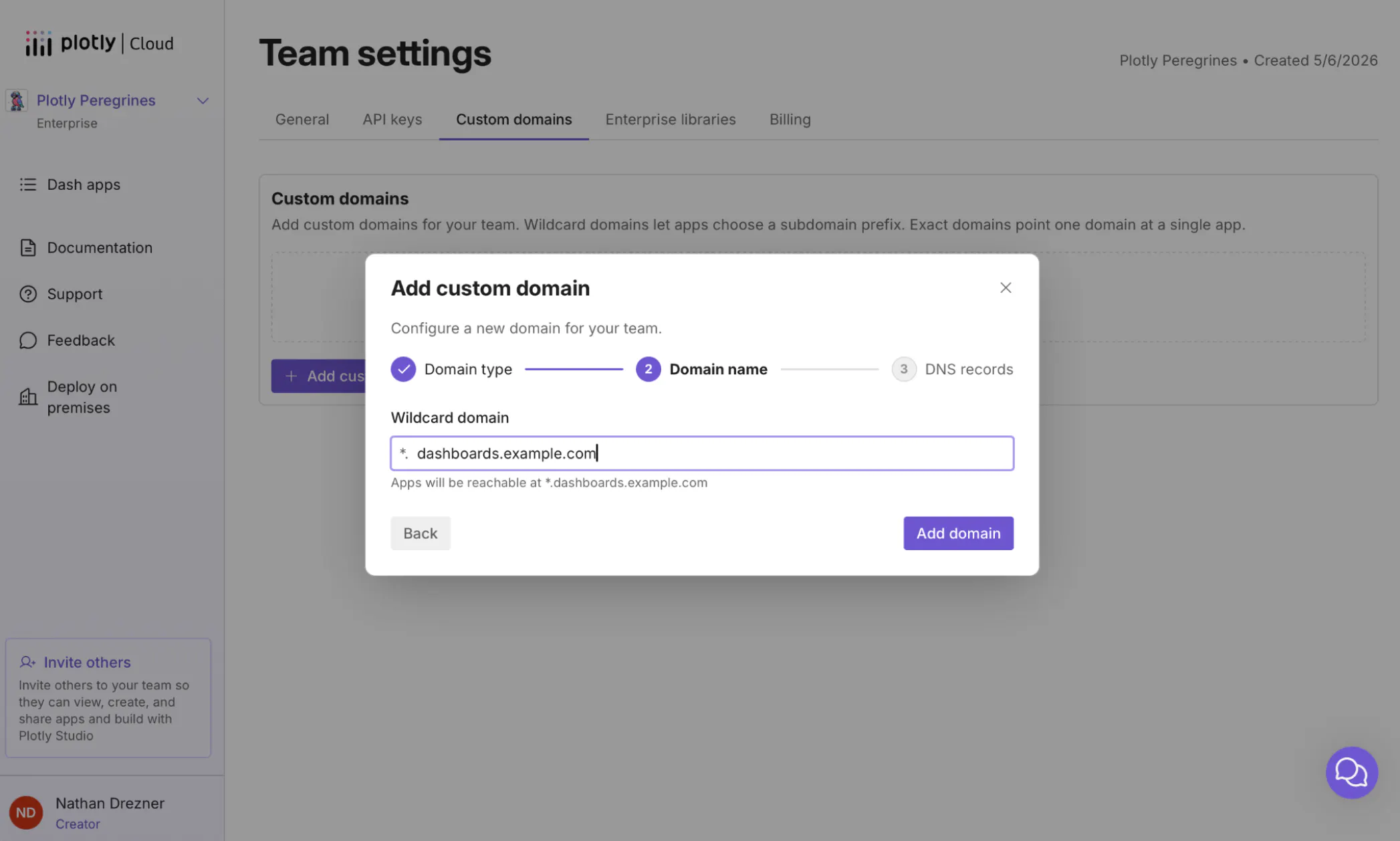
Get started adding Custom Domains for your apps in your team’s settings.
Together, these changes mean that the URL your users see can finally match the work you put into the app behind it.
Vanity URLs, now free for everyone
When you publish an app to Plotly Cloud, it gets a URL on plotly.app. Until now, choosing your own address instead of the automatically generated one required a Pro plan.
Not anymore. Starting today, every user on every plan, including Free, can pick their app's URL. Publish your sales dashboard at acme-sales.plotly.app instead of a string of random words, and share a link that people can actually read, remember, and trust.
Just open your app's Settings > General tab, type the URL you want under App URL, and save.
Custom Domains: set up once, every app benefits
For teams that want to go further, Plotly Cloud now supports Custom Domains on Pro plans and above. So, your apps can live entirely under your own brand, at addresses like sales.example.com.
Plenty of platforms offer Custom Domains. What makes ours different is how little work it takes to scale across a team.
With a wildcard domain, you verify a domain like *.dashboards.example.com once, and from that moment on, every app in your team can claim its own subdomain (e.g. sales.dashboards.example.com, finance.dashboards.example.com, forecasting.dashboards.example.com) with no additional configuration. No DNS tickets for each new app. No waiting on IT every time someone ships a dashboard. App creators simply pick a subdomain in their app's settings, and it's live.
That's the part we're most excited about. In most organizations, getting a new internal tool onto the company domain means filing a request and waiting days for a DNS change. On Plotly Cloud, your team does that dance exactly once. After that, custom-branded URLs are self-service for everyone on the team.
Prefer a dedicated address for a flagship app? Exact domains like dashboard.example.com are supported too, pointing a single, memorable URL at a single app.
HTTPS handled, no certificates to manage
Custom Domains are a team-level setting, managed from the new Custom Domains tab in Team settings. Adding one takes a few minutes:
- Choose your domain type (e.g. wildcard or exact) and enter your domain.
- Create two CNAME records with your DNS provider (Plotly Cloud generates them for you).
- That's it. Plotly Cloud verifies your records automatically, then provisions a TLS certificate for the domain and renews it continually.
Your apps are served over HTTPS from day one, and you never have to think about certificate expiry. And because assigning a custom domain doesn't replace an app's default .plotly.app URL, existing links keep working. Every app always has a stable address that doesn't depend on your DNS configuration.
Get started
- Vanity URLs are available now on all plans, including Free. Open any app's Settings > General tab to choose your URL.
- Custom Domains are available on Pro plans and above. Head to the Custom Domains tab in your Team settings to add your first domain, or read the Custom Domains documentation for a step-by-step guide.
Not on Plotly Cloud yet? Publish your first Dash app free and give it a URL worth sharing.