
Nathan Drezner
February 26, 2026
The Best Way to Publish and Host Your Plotly Dash Apps in 2026
Dash developers have always had options for publishing and hosting their applications: Heroku, AWS, Azure, self-hosted servers. While those hosting options have their own merits, they weren’t built specifically for Dash.
Plotly Cloud is.
We built Plotly Cloud from the ground up for people who want to publish and share their apps with the world without becoming infrastructure experts.
Hosting your Dash apps with Plotly Cloud is easier, faster, and better than other hosting options because:
- You can literally drag-and-drop to publish your apps
- Enterprise-grade security is made simple, and managed for you
- Your entire team can work together on building Dash apps, then publishing and hosting them
Read on to learn more and learn how to get started with Plotly Cloud for publishing your Dash apps.
Build your Dash app your way
Publishing starts with building out your data analysis. Take existing Dash applications you’ve already built or build a new project, either with vanilla Dash or by using Plotly Studio.
Plotly Studio brings you AI-assisted data analytics, where you can describe the graphs, interactive controls, and layout you want, and see it brought to life in minutes. Iterate on your app with natural language. When you're ready, you can publish the app directly to Plotly Cloud with a single click.
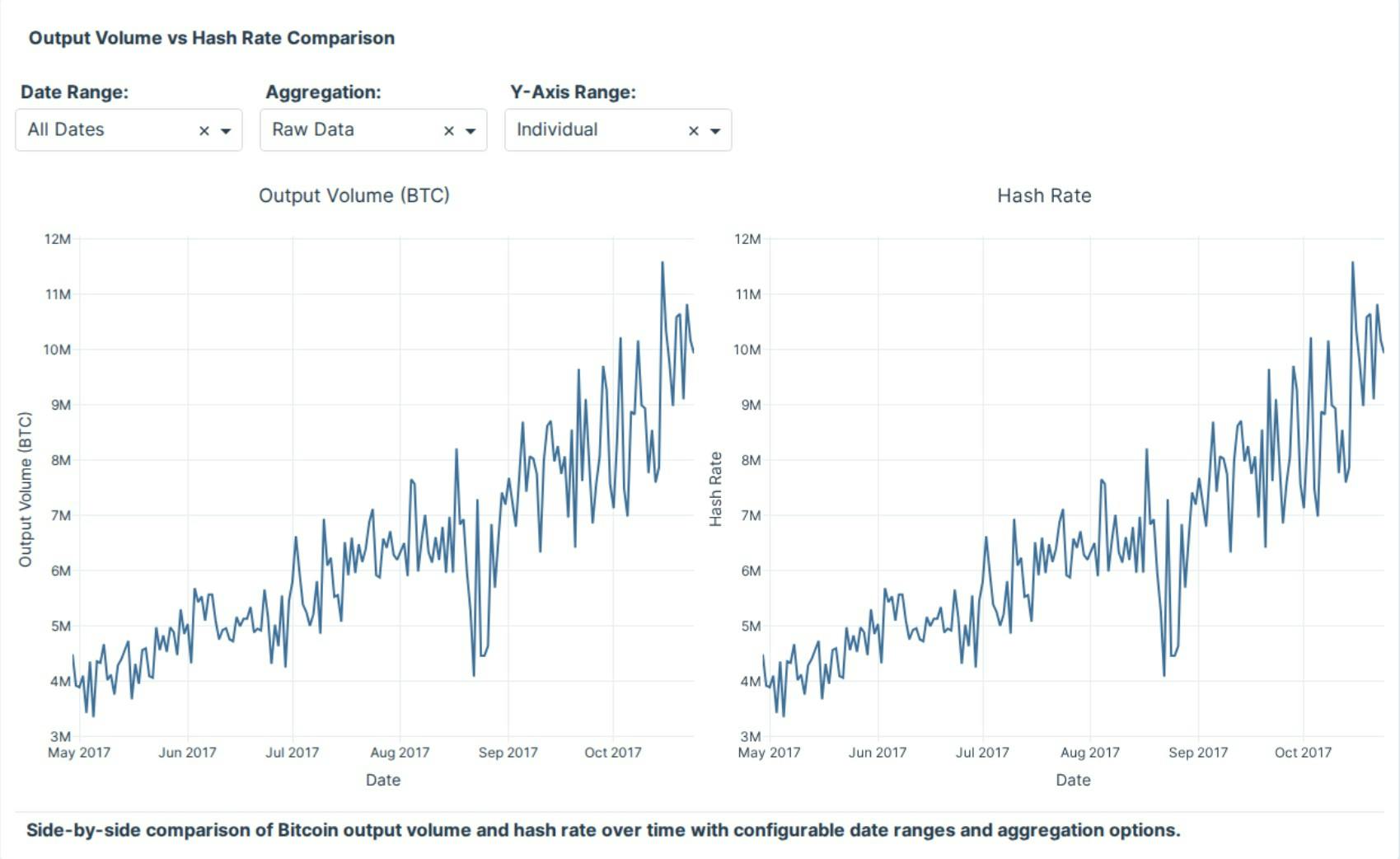
Build advanced data visualizations like this with code or AI — your choice.
Plotly Studio runs locally on your machine as a native desktop app, so your generated apps and the Python code behind them stay private while you build. But it connects seamlessly to Plotly Cloud for publishing, logs, and collaboration. Build locally, ship globally.
Take your app to production, no code changes required
If you’ve built existing Dash applications, they will most likely be publishable to Plotly Cloud with no code changes required. Take your app files, add them in, and you’re up and running. Requirements files are optional, the production server is handled automatically, and authentication is configurable with a few clicks once the app is published.
Plotly Cloud supports external connections to remote APIs, environment variables, and more, so you can take your existing configuration and easily bring it to Plotly Cloud. You don’t need to manage or configure build steps, maintain Python versions, or keep track of Dockerfiles. Because Plotly Cloud is designed specifically to work with Dash, there’s no extra development to take a project off of your local machine.
How to build your Dash app with AI or code
If you’ve never built with Dash before, get started with our Dash in 20 tutorial.
- Create your analytics app with code, AI, or a mix of both, depending on how you prefer to work
- Describe the charts, controls, and layout you want in natural language and iterate directly inside Plotly Studio
- Build locally on your machine, then publish to Plotly Cloud in one click when you’re ready to share
From analysis to live app in minutes
Publishing a Dash app should be as simple as writing one. With Plotly Cloud, you can simply drag your Dash app files into the browser, and we automatically detect your app's entry point, install dependencies, build a secure container, and spin up your application. This saves you many publishing headaches: you no longer need to write Dockerfiles, configure YAML, or maintain CI/CD pipelines.
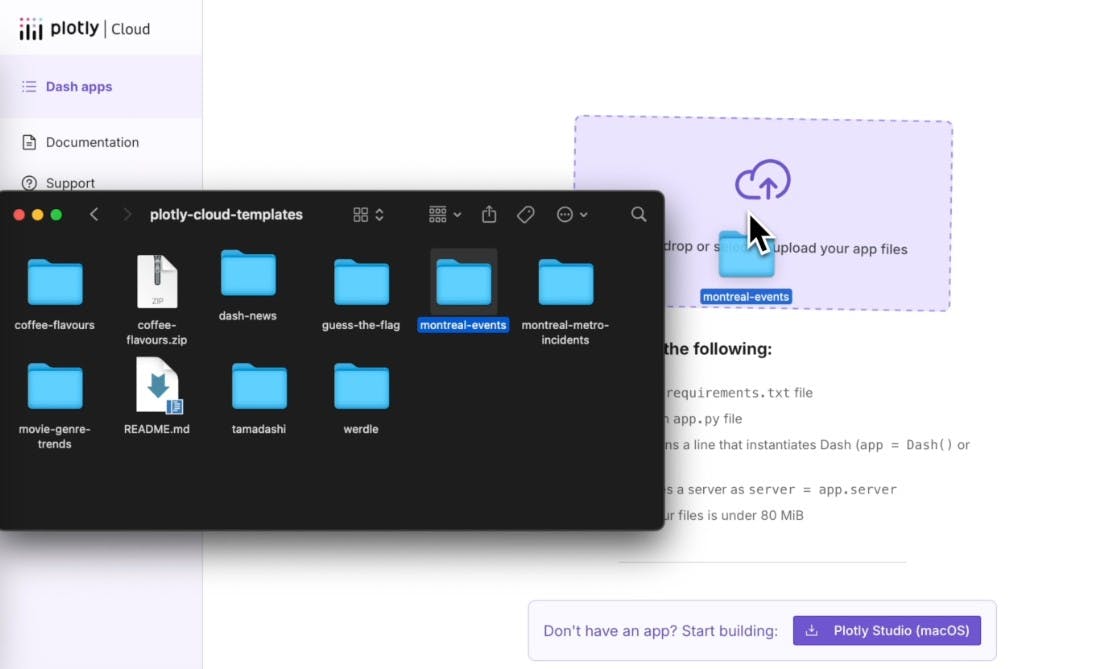
Behind the scenes, your Dash app runs on Kubernetes with enterprise-grade security: non-root execution, isolated file systems, and automatic scaling. But you never have to think about any of that. You just hit publish.
Every time you publish, Plotly Cloud creates a new revision with its own logs and status tracking. Debug issues without guessing what went wrong.
How to take your Dash app from local code to live app
- Upload your Python files in the browser and let the platform detect your app entry point automatically.
- Publish without writing Dockerfiles, configuring YAML, or setting up CI pipelines.
- Track each live revision with logs and status history, and roll back instantly if something goes wrong.
Debug your Dash apps like you're running locally, with real-time logs
When you publish an app, you move from a controlled local setup to a remote production environment where small differences can break things and you no longer see errors directly in your console. It makes it exceedingly difficult to debug your apps.
A Dash app that works on your laptop but fails in production might need hours of reading cryptic logs to run smoothly again.
Plotly Cloud gives you real-time log streaming for both builds and running applications. Watch your dependencies install, see your app start up, and monitor requests as they come in. When something goes wrong, you know immediately.
Logs are grouped by each published version of your app, so you can compare one version to another and quickly see what changed. Download logs for offline analysis, search across your app's history. It makes the debugging experience much smoother.
Secrets and configuration done right
Every analytics app needs configuration. API keys, database credentials, feature flags, and other settings should never live in your code or get shared in chat threads.
Plotly Cloud separates simple settings from sensitive credentials. Use environment variables for general configuration. Store passwords and API keys as encrypted secrets with built in protection.
Secrets are encrypted, securely attached to your app when it runs, and never shown in logs or the interface. Teams can share credentials safely without copying them into Slack. Update a key once and every related app uses the new value automatically.
You can scope secrets to a single app or an entire team. For example, your data science team can use one shared Snowflake credential across multiple dashboards without exposing the actual password to each developer.
Share your work your way
Not every app is meant for the public internet. Plotly Cloud gives you granular control over who sees your work.
If you make an app public and anyone with the link can access it. You can also keep it private and restrict access to just your team members. Invite specific collaborators by email and assign them roles — viewers who can see your dashboard, or editors who can modify your apps and re-publish them.
If you’re on a premium Plotly plan, you can use custom URLs to put your Dash app on your own domain, explore white-labling, and scale easily from personal projects to enterprise deployments.
Plotly Cloud makes data analytics a team sport
One of the biggest challenges we’ve seen in our community is collaboration on data projects. Our community members struggle with code living separately from dashboards, scattered access controls, and messy team billing.
We recently announced team collaboration support in Plotly Cloud for this very reason. Create a team for your department, your client project, or your research group. Invite members with the right roles. Share apps and secrets at the team level. Track usage and billing per team.
When someone joins your team, they get access to everything they need. When they leave, access is revoked instantly. Your IT team can connect their identity provider for SSO and automatic provisioning.
Overall, the administrative overhead of working on data analytics as a team disappears with Plotly Cloud.
Get started with hosting your Plotly Dash app for free
Plotly Cloud is easy to get started with, and free for hosting your first Dash app. To make it even easier, we include a gallery of template Dash apps you can publish immediately and customize from there.
Pick a template or upload your Dash app file, publish and host it with Plotly Cloud, and start customizing it. See how a production Dash app is structured. Learn patterns from working examples instead of documentation. Go from zero to published in under a minute.
In summary, here’s how to host your Dash apps easily with Plotly Cloud:
- Build your app with code, AI in Plotly Studio, or a mix of both, working locally on your machine
- Describe charts and controls in natural language or write Python directly, then iterate until it’s ready
- Upload your app to Plotly Cloud and publish without managing containers or pipelines
- Monitor builds and live activity with real time logs, and roll back to a previous version if needed
- Store API keys and credentials securely using encrypted secrets and scoped configuration
- Share your app publicly or privately, collaborate through teams, and scale to production as needed
Get started free and publish your first Dash app in minutes.