
Nathan Drezner
July 17, 2026
Compute Modes & Flexible App Sizing: Full Control Over Dash App Hosting Costs in Plotly Cloud
Plotly Cloud just made hosting Dash apps smarter, cheaper, and far more flexible. Whether you're running internal tools, public dashboards, or production-grade data apps, you now decide exactly how much compute power you pay for and when.
Keep an app always awake so a scheduled job automatically runs, a cache stays warm, or a dashboard is ready the second someone opens it. Additionally, you can give it more CPU and memory when it’s doing real work, all from the Compute tab without having to re-deploy the app.
In short: every app gets a new Compute tab with two settings Compute Mode (Automatic Sleep or Always Awake) and App Size (0.5 vCPU/1GB up to 8 vCPU/16GB). Changes apply instantly, no redeploy required, and billing is transparent, credit-based, and metered in 5-minute windows.
The New Compute Tab
Every app's settings now include a dedicated Compute tab where you control:
- Compute Mode, how your app behaves when idle
- App Size, how much CPU/memory it runs on
Both can be changed anytime, with no redeploy needed, and take effect immediately.
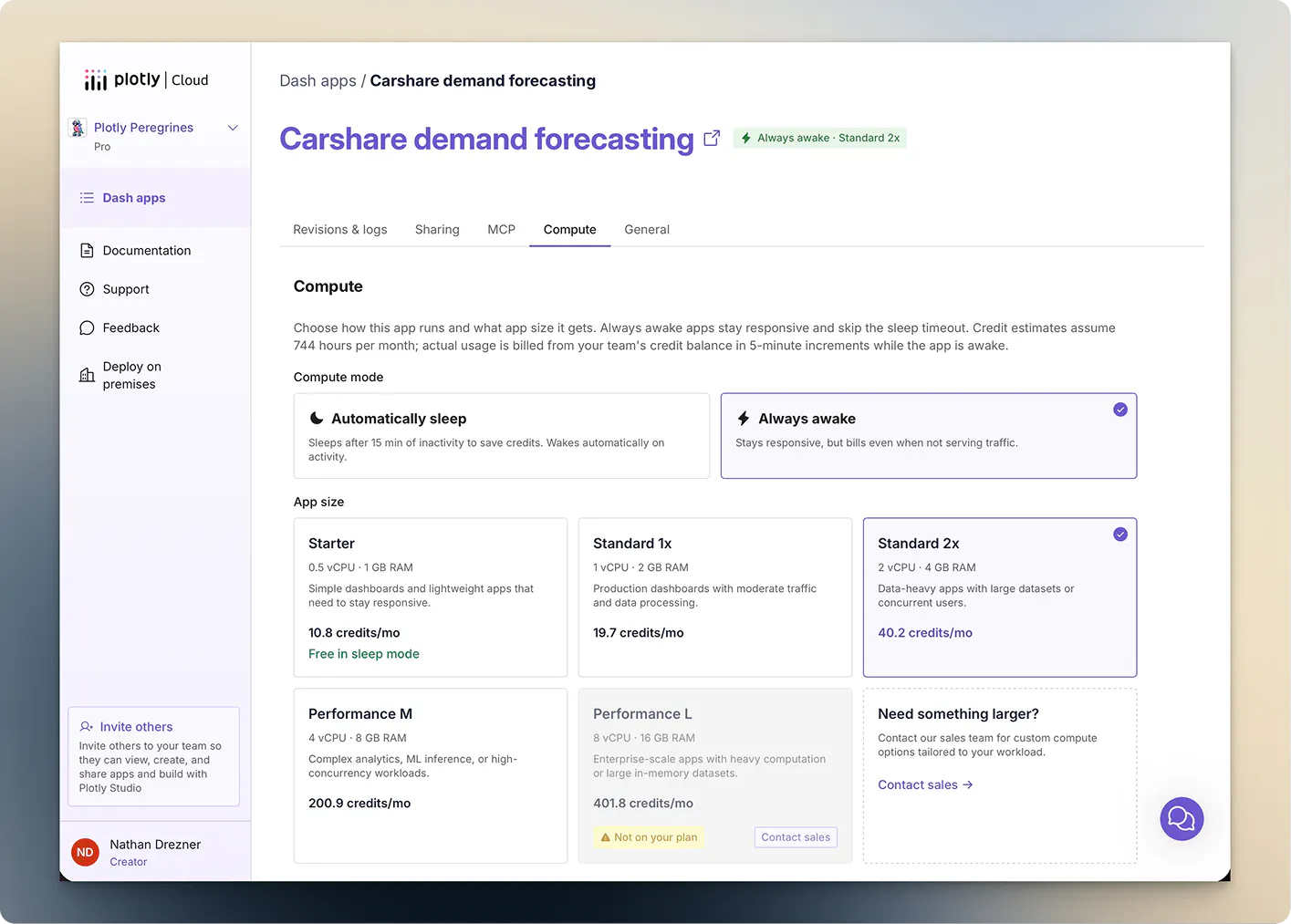
Compute Modes: Sleep Smart or Stay Always-On
Automatic Sleep
Your app goes to sleep after 15 minutes of inactivity and wakes automatically on the next request.
Best for: internal tools, occasional-use apps, cost-conscious teams.
You only pay while the app is awake. The trade-off is a brief ~30 second cold start on the first visit after it wakes up.
Always Awake
Your app runs 24/7 and responds instantly, every time, no cold starts.
Best for: public-facing dashboards, embedded apps, scheduled background jobs, high-traffic or mission-critical applications.
Automatic Sleep
Always Awake
Cost
Pay only while awake
Pay continuously
Cold start
~30 sec after 15 min idle
None
Best for
Internal tools, occasional use
Public apps, production apps
App Sizes: Scale Resources to Match Your Workload
Pick the power level that fits your app:
- Starter is 0.5 vCPU · 1 GB. Free in Automatic Sleep mode
- Up to Performance of 8 vCPU · 16 GB
Start small and scale up as traffic, dataset size, or computation needs grow. Larger sizes handle more concurrent users and heavier processing without breaking a sweat.
Transparent, Metered Credit-Based Billing
All compute usage draws from your team's shared credit balance, metered in 5-minute windows. You're only charged while the app is awake.
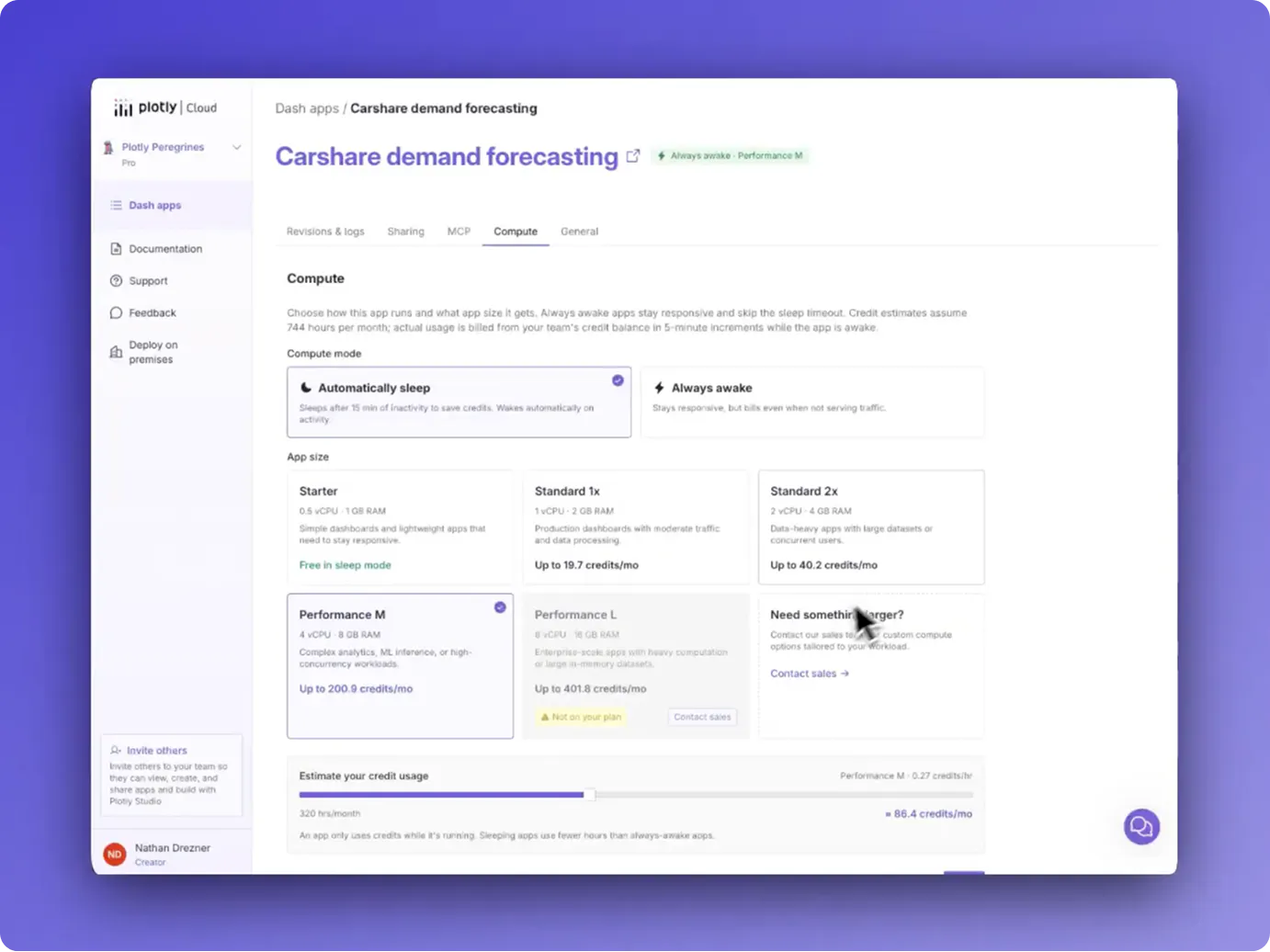

A new “Estimate your credit usage" slider in the Compute tab shows your projected monthly cost before you commit to a change so no surprises.
Why This Matters
This update gives Dash developers and data teams real control over cost and performance:
- Optimize spend without sacrificing developer experience
- Match performance precisely to real usage patterns
- Scale effortlessly as apps grow in popularity or complexity
- Run background jobs reliably with Always Awake mode
Whether you're a solo analyst sharing insights with your team or a large organization running dozens of production apps, these features make Plotly Cloud a more powerful and economical platform.
How to Get Started
1. Go to your app in Plotly Cloud
2. Open Settings → Compute tab
3. Choose your Compute Mode and App Size
4. Use the cost estimator to preview impact
5. Save
That’s it!
Ready to Level Up Your Dash Deployments?
Head over to Plotly Cloud and try the new Compute options today. Your apps (and your budget) will thank you.
One question for you: will you keep most apps in Automatic Sleep, or go Always Awake for your flagship dashboards? Let us know
Stay tuned for more Plotly Cloud updates as the platform evolves.
FAQ
What is Automatic Sleep mode in Plotly Cloud?
Automatic Sleep puts a Dash app to sleep after 15 minutes of inactivity and automatically wakes it on the next request, with a roughly 30-second cold start. You're only billed while the app is awake.
What is Always Awake mode?
Always Awake keeps a Dash app running 24/7 with no cold starts, ideal for public dashboards, embedded apps, and production or mission-critical use.
How is Plotly Cloud compute billed?
Usage draws from a shared team credit balance and is metered in 5-minute windows, with billing only while an app is awake.
Do I need to redeploy my app to change Compute Mode or App Size?
No, both settings apply immediately from the Compute tab with no redeploy required.
What App Sizes are available?
Sizes range from Starter (0.5 vCPU, 1 GB, free in Automatic Sleep mode) up to Performance (8 vCPU, 16 GB).