
Matt Brown
September 30, 2026
App Analytics Launches in Plotly Cloud
If you've ever deployed an app and immediately wondered ...okay, but is anyone actually using this?, you're not alone. It's the inevitable question every app owner asks after shipping, and starting today you can answer it without making any code changes for apps hosted in Plotly Cloud.
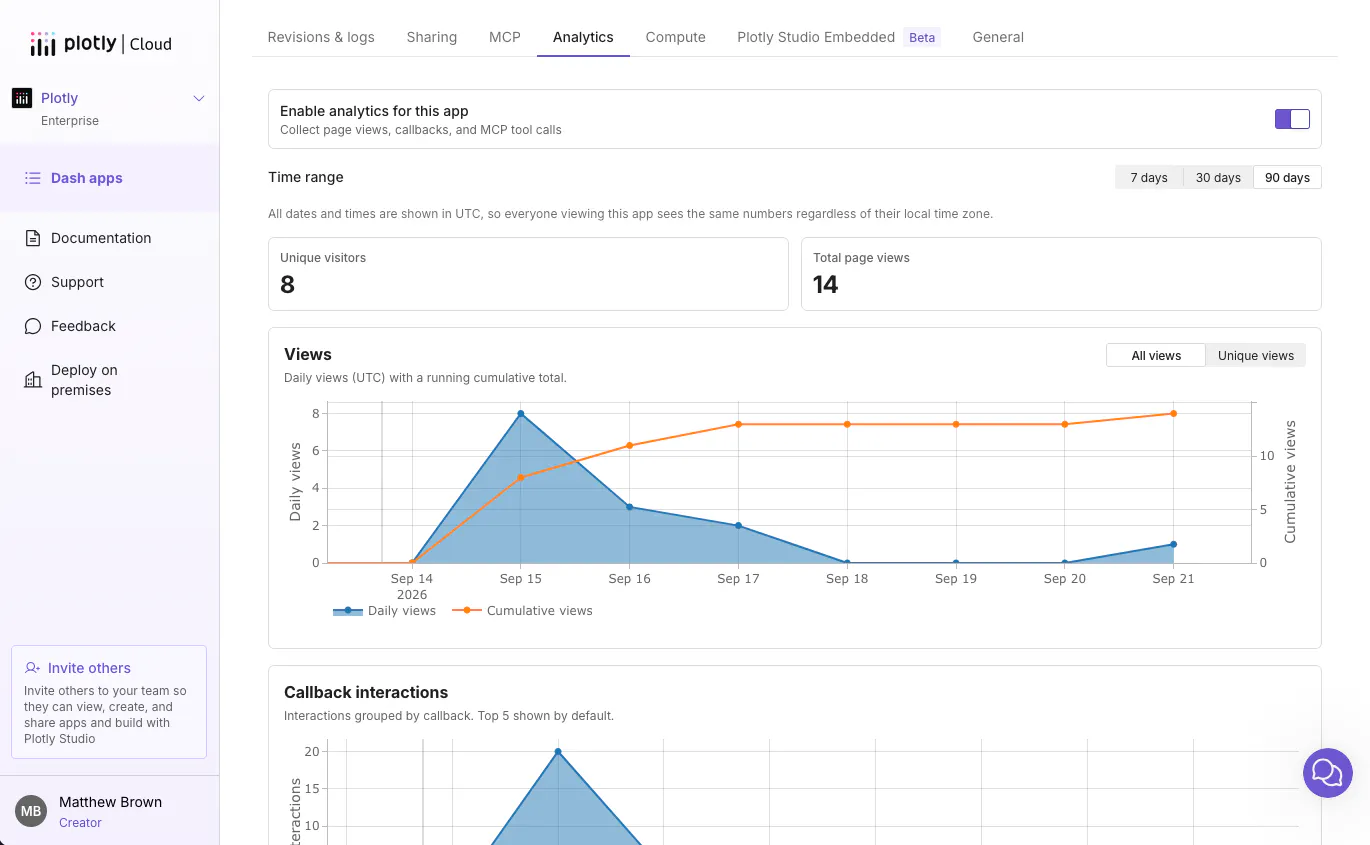
Every app deployed to Plotly Cloud now has a built-in Analytics tab that tells you who is actually using your app, and whether it's healthy.
Viewer analytics
Open the Analytics tab on any app and you'll see daily and cumulative page views, plus a unique-visitor count. Time-range filters (7 days, 30 days, 90 days) let you zoom in on whatever window you care about. Like, did last week's feature launch actually move usage?
On private apps, where visitors are already signed in, that view goes further: a named, per-user breakdown of exactly who's using your app and how often.
See what people actually use
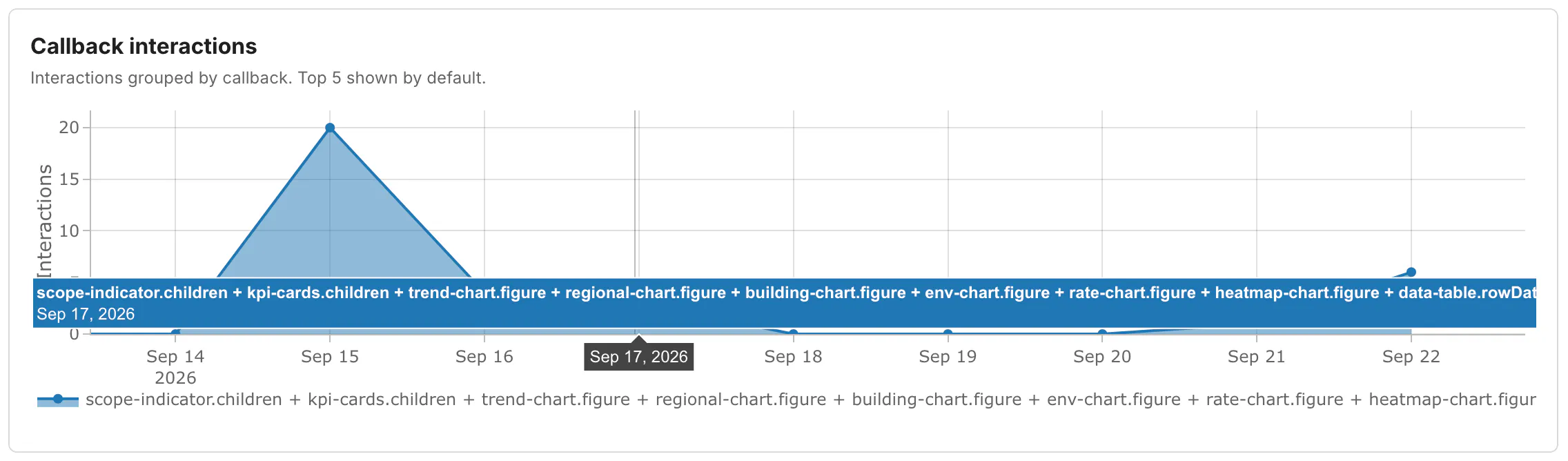
Views tell you if people show up. Interactions tell you what they do once they're there. App Analytics breaks down every callback firing in your app, so if you shipped five features, you'll know which one people actually touch, and which ones nobody's found yet. If your app exposes MCP tools, calls to those are tracked the same way, by tool name. This is extra helpful for apps that are primarily consumed via MCP calls by AI agents, and not directly by users. Your app may be providing a considerable value, even if the page views look stagnant, and Plotly Cloud's app analytics help you uncover that hidden value.
Know when to size up or down
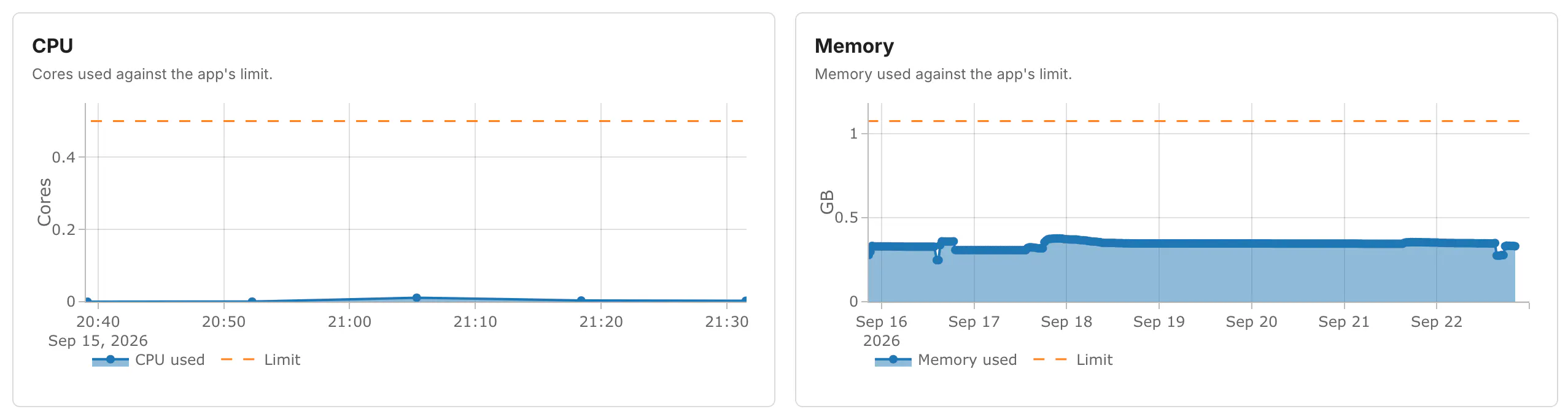
Alongside usage, every app gets CPU and memory charts over time. With Always On Compute and app sizing already giving you control over your app's machine size: you can now see directly when an app is straining against its current size, or when it's comfortably over-provisioned and could move to something smaller. You now have better tools to help you rightsize your app.
Numbers you can actually trust
App Analytics is collected server-side, at the platform level — not with a JavaScript snippet dropped into your app. That means the numbers aren't quietly undercounted by ad blockers or browser privacy settings the way client-side analytics tools often are.
It also means zero setup: analytics collection turns on automatically the moment you deploy. Nothing to install, no package to add to your app image, no code to write or maintain.
Getting started
Starting today, App Analytics is on by default for every app, on every plan. To view the analytics tab, you'll need a Pro plan or above. Give it a try today!