
Chris Parmer
November 25, 2025
Create Advanced Data Analysis and Computational Tools With Explore Mode in Plotly Studio
I'm excited to introduce a new feature in the latest release of Plotly Studio: Explore mode. This is one of several major features in our latest release alongside our new Specification format, side-by-side editing layouts, an in-app prompt library, and more.
In our latest release of Plotly Studio, we’re handing you the tools you need to get the best out of your data with confidence.
PS we're showcasing a technical session exploring all the latest upgrades, along with a recap of Studio's core capabilities. Register here to join!
We now have an in-app prompt library for styling, filtering, and visualizing your data. The new Explore mode gives you chart suggestions & actual calculators and tools based on your data. And there’s so much more!
To sum it up, this Plotly Studio update is designed to take you from raw data to insight faster than ever. Check out all the fun (and useful) things you can do right now in Plotly Studio:
Explore mode is your compass for data discovery
Analysis paralysis is no fun. The new Explore mode eliminates the "blank canvas" problem by instantly analyzing your dataset to suggest relevant, high-value visualizations and ways to slice-and-dice your data.
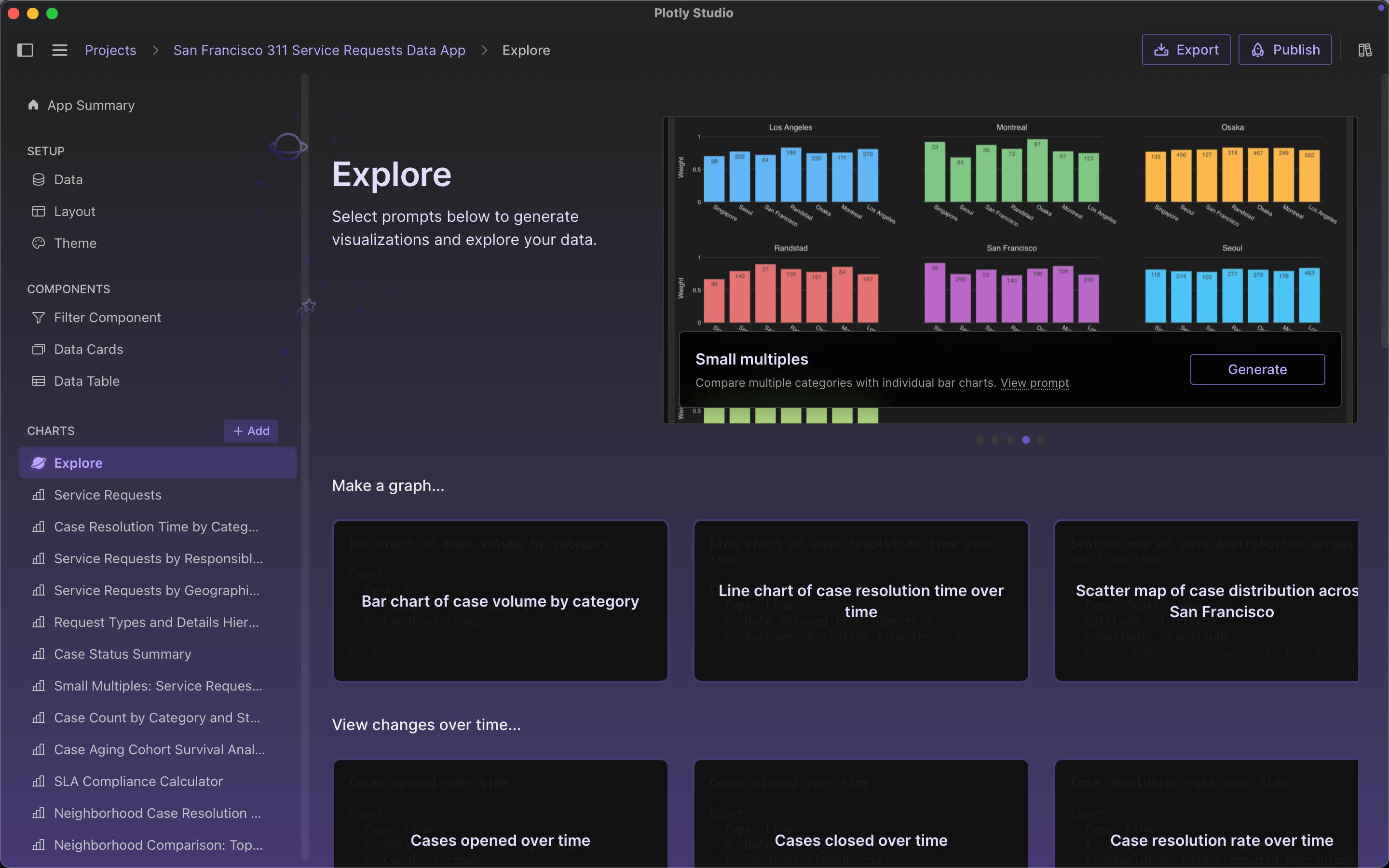
Load your data and Explore mode presents options organized into categories. You'll see chart suggestions like time series analysis, side-by-side comparisons, and suggest unique angles to explore in your data. It can even generate advanced tools like cohort survival curves and custom calculators. Watch the demo to see it in action:

Learn about the new Explore mode, which auto generates suggested charts based off your datasets. All you have to do is select the chart that you would like to add to your data app.
Beyond charts with calculators and operational tools
This is where Explore mode gets super interesting. You can make your own computational tools with your data!
Explore mode can generate full, functional applications for ongoing operations. The "Create a tool or calculator" section turns your data into interactive tools with real utility:
- Percentile benchmarks that track resolution times across P50, P75, and P95 thresholds
- Geographic clustering that grids regions and counts incidents per square mile
- Survival curves showing which categories take longest to resolve
- Load duration curves displaying grid demand percentiles with adjustable capacity parameters
- Ramp rate analyzers highlighting when energy usage spikes (like 8am when coffee makers fire up)
Explore mode will suggest different tools depending on the dataset that you upload. Thanks to the world knowledge of LLMs, these will often be domain and industry specific to your data.
For example, say you’re a Grid Operations Engineer and you upload hourly energy grid demand data. Explore Mode instantly generates the tools utility operators actually use to manage the network. You'll get load duration curves showing demand percentiles, load factor calculators with adjustable system capacity parameters, and ramp rate analyzers that track how quickly energy consumption changes hour to hour.
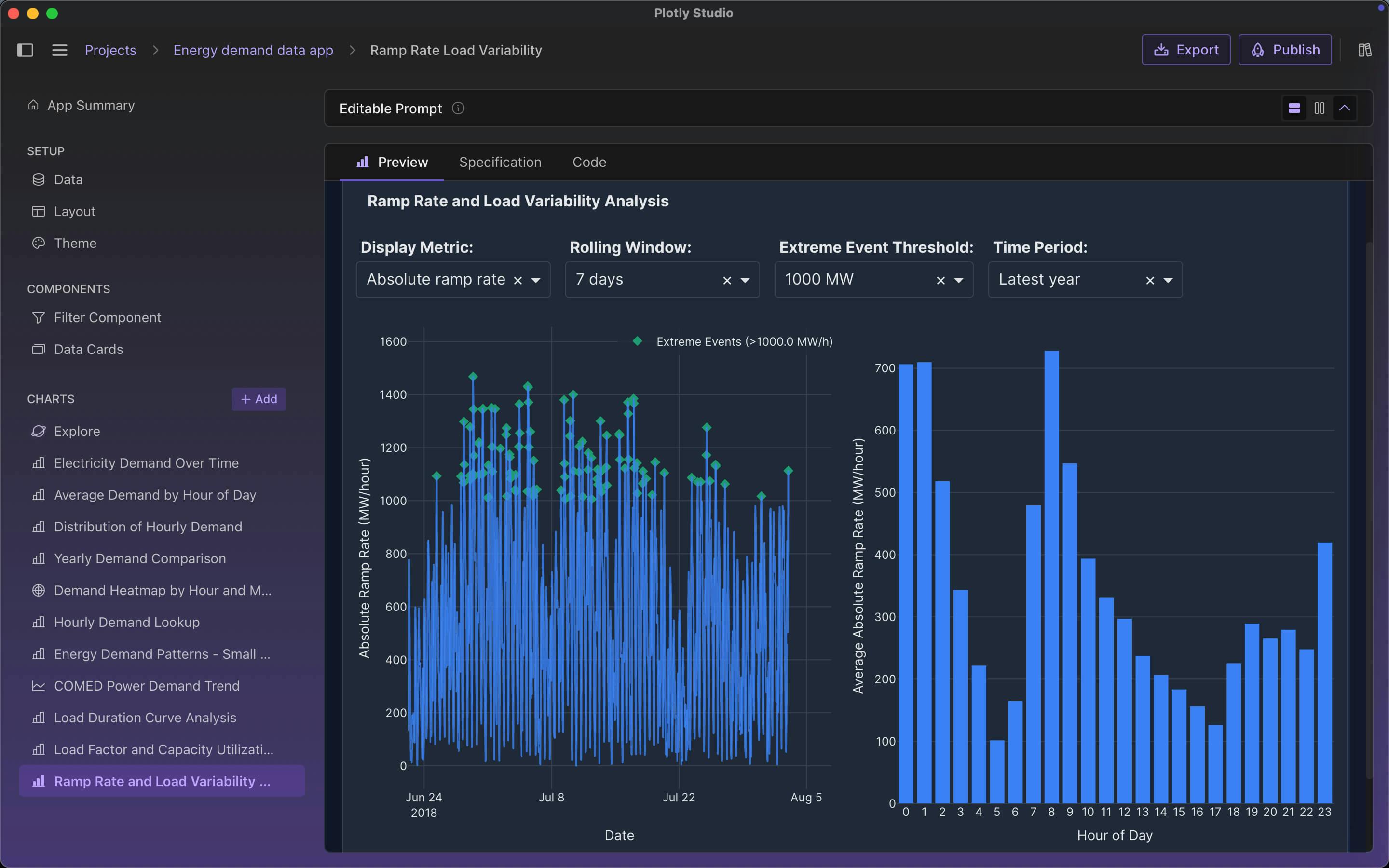
These are interactive tools with dropdowns and controls that teams can use daily to make decisions based on current data, not static reports you generate once and forget. Watch the quick overview:
Achieve deeper data analysis using operational tools and calculators within the Explore mode of Plotly Studio.
The new Specification format gives you a blueprint for better prompting
We’ve completely overhauled the Specification (Spec) tab to bridge the gap between simple prompts and complex code.
The Spec tab now provides a natural language summary of the code generated by the AI, in the same format as the editable prompt. It breaks down every element of your chart, like labels, aggregations, and data filters, into readable sections. So you can easily:
- Verify logic: Quickly check if your data was filtered or how dates were handled without reading raw Python.
- Copy-paste for iterative data analysis: See a label or setting you like in the Spec? Copy it and paste it back into your prompt to refine your next iteration with pinpoint accuracy.
Read the full deep-dive we did on why we love specification-based development as a methodology for data analysis with AI.
The new in-app prompt library for refining results
Writing the perfect prompt shouldn't require guesswork. The new Reference section is an in-app prompt library that puts a cheat sheet for data analysis right at your fingertips.
You can now browse categorical examples of how to phrase requests for:
- Data operations like filtering, sorting, grouping, and pivoting
- Styling options for fonts, colors, annotations, and line styles
- Chart types from simple to complex, with both high-level and detailed examples
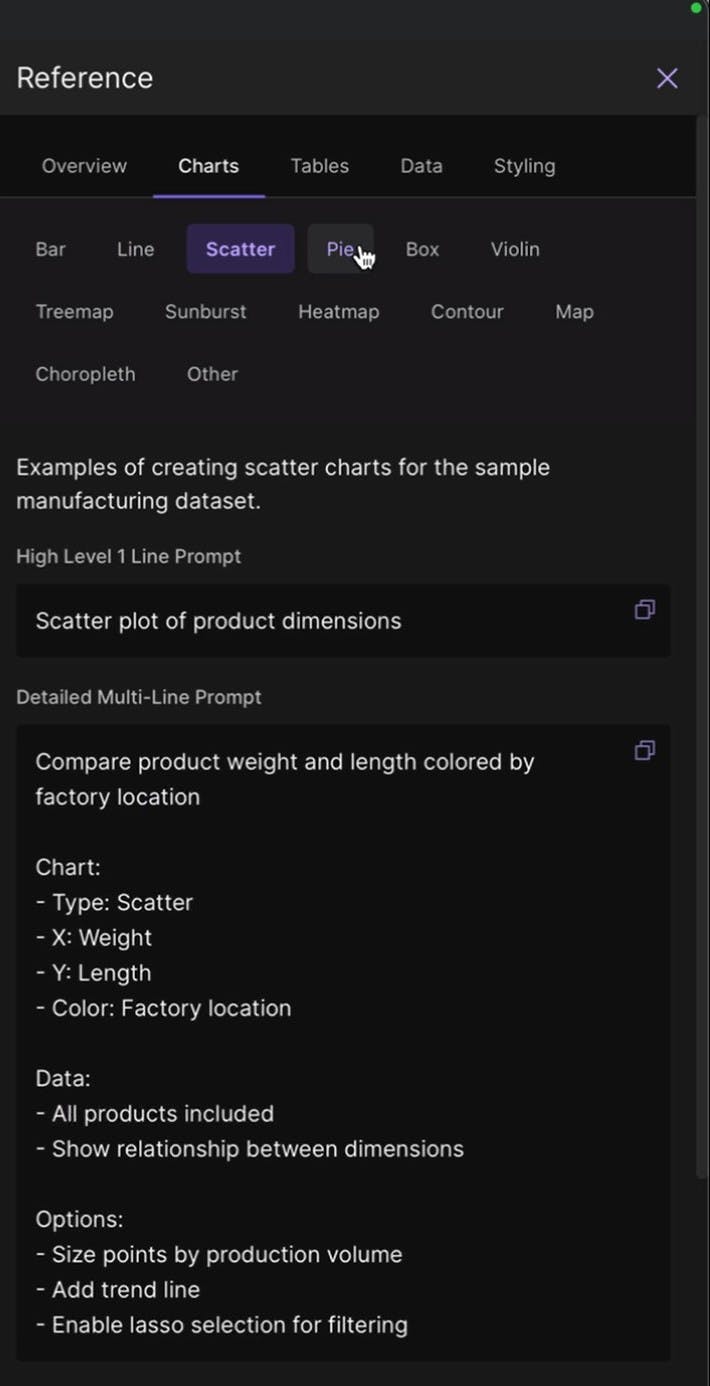
It’s the fastest way to learn the language of Plotly Studio while building your app.
Designed for your workflow
We have also added significant quality-of-life improvements to help you stay in the flow:
- Side-by-side views: Toggle your prompt window to the side of your preview. This is perfect for long, complex prompts where you need to see your instructions and the result simultaneously.
- Support: A new tips and tricks modal helps you get started with prompt formatting examples and capability overviews. There's also live human chat support built into the app now for when you need help.
Ready to start your expedition?
These features are available today. Restart Plotly Studio to update automatically, or download the latest version to try out the new Explore mode and other features yourself.
We're also hosting a demo-heavy technical session exploring all the latest upgrades, along with a recap of Plotly Studio's core capabilities if you've just joined the vibe analytics revolution or need a refresher. Register here to join!