
Nathan Drezner
February 10, 2026
A New Era for Collaborative Analytics
Today, I’m very excited to share that we're introducing support for team collaboration within Plotly Cloud, giving you enterprise-grade scale for working on data applications together with your colleagues, partners, and stakeholders.
We’ve seen time and again in our work at Plotly that data analytics delivers the most value when insights move freely across organizations. A dashboard shared across a team, with the right people having the right access, becomes organizational intelligence.
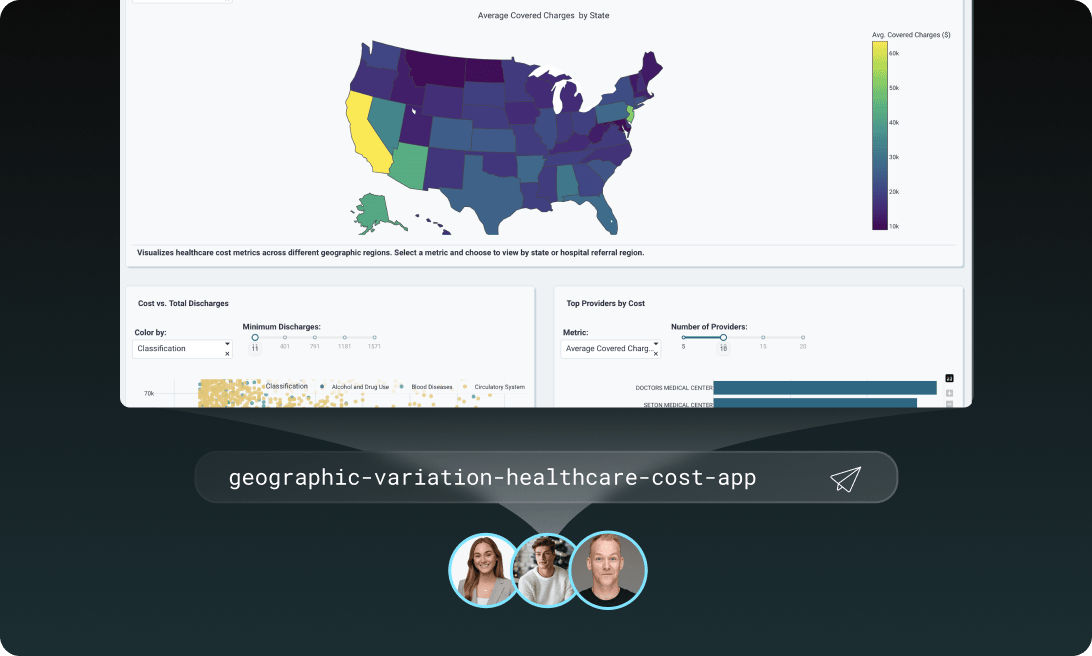
Team collaboration turns individual projects into shared analytical assets with ironclad security. Plotly Cloud in combination with our AI-assisted data analytics platform, Plotly Studio, ushers in a new era where analytics is collaborative, and truly accessible to all.
Data analytics as a team sport
Analytics delivers value when insights flow across organizations. Data scientists build models, analysts refine the findings, stakeholders ask questions that drive new analysis. This collaboration works best when everyone shares the same environment with visibility into the same applications.
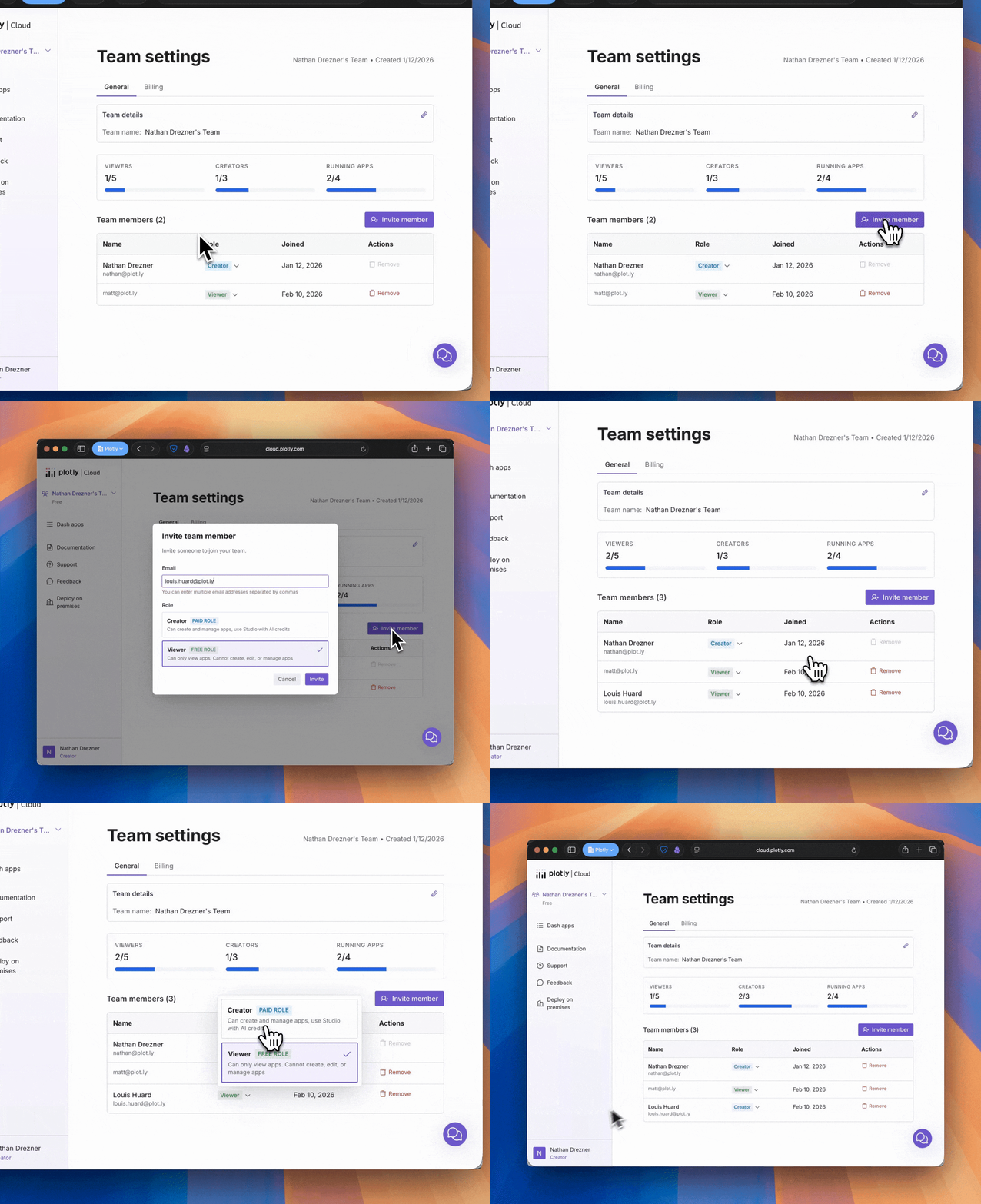
Team workspaces in Plotly Cloud make this possible. Create a Team for your data science department, client project, or research group. Invite members by email address. Recipients without Plotly Cloud accounts will see your Team as soon as they sign up and can immediately access everything shared with them in the Team.
Working across multiple Teams? The Team switcher in the navigation moves you between contexts, and your selection persists across sessions.
The right access for the right people
Not everyone needs to deploy applications. Your CFO needs to see the quarterly revenue dashboard, but doesn't need the ability to redeploy it or invite new team members. Your data science team needs full control to iterate and publish. Permissions need to match how people actually work.
In Plotly Cloud, team collaboration uses a two-role system built for clarity: you are either a Viewer or a Creator.
Creators build and publish. They manage applications, invite new members, and handle team administration. This role fits developers, data scientists, and project leads who need full control.
Viewers consume and interact. They access applications shared with the team but can't publish new apps or manage membership. This role fits stakeholders, executives, and clients who need visibility without administrative overhead.
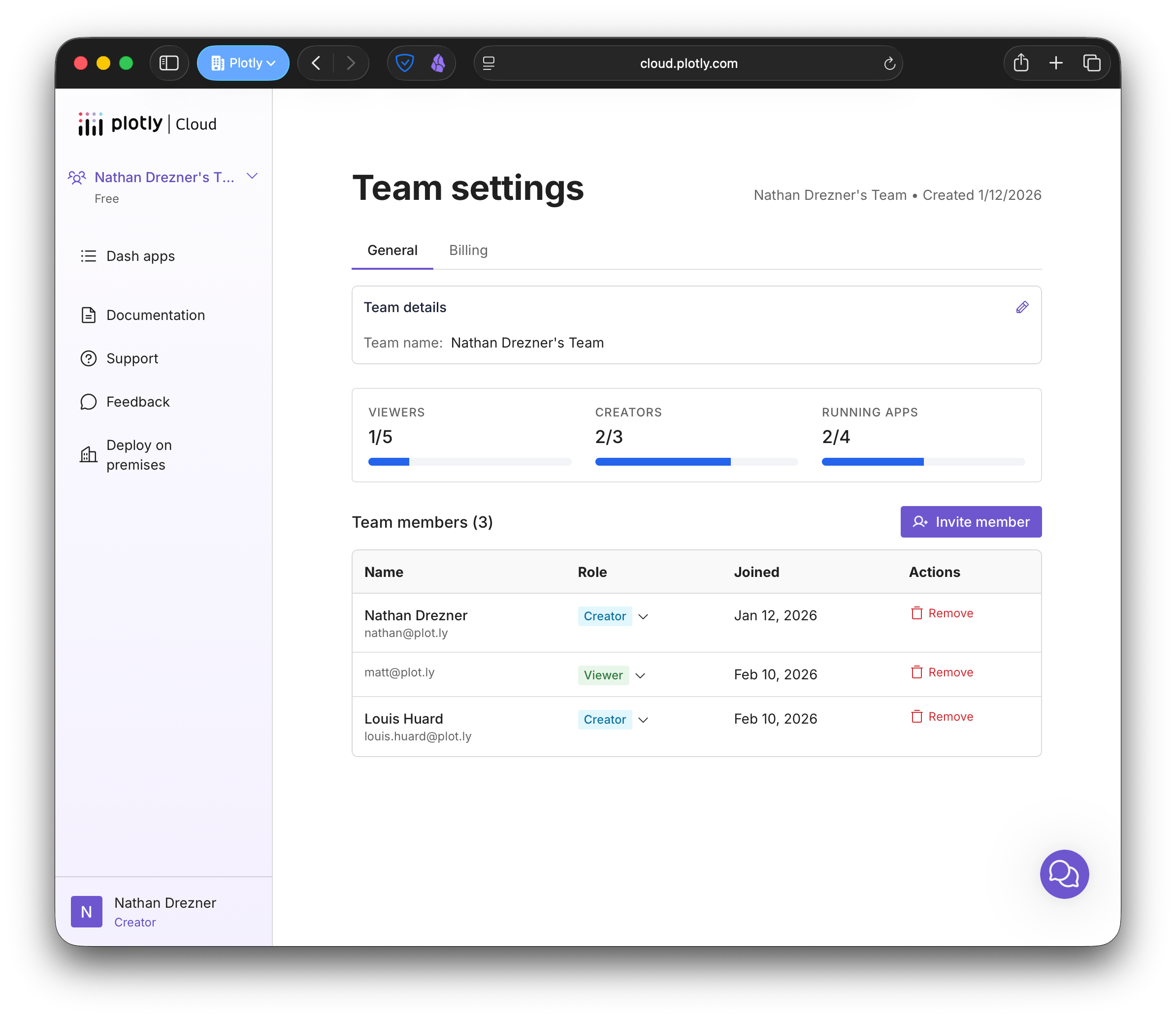
Promote a Viewer to Creator when they're ready to publish. Adjust access as project needs change. Built-in safeguards prevent mistakes like accidentally removing the last Creator.
Share data apps with your entire team
You've built a dashboard showing customer churn by segment. Your product team needs to see it, so does sales, and your CEO wants weekly access. Managing individual permissions for each person means updating access lists every time someone joins or leaves. Add five people to the product team and you're updating permissions on a dozen dashboards.
Team-based sharing improves this manual process. Share an application with your entire team at once. Choose from three access levels: set permissions for users individually, share with the entire team with either edit or view access, and share so that anyone with the app link can view the dashboard. Add someone to the team once and they automatically get appropriate access to all team-shared applications.
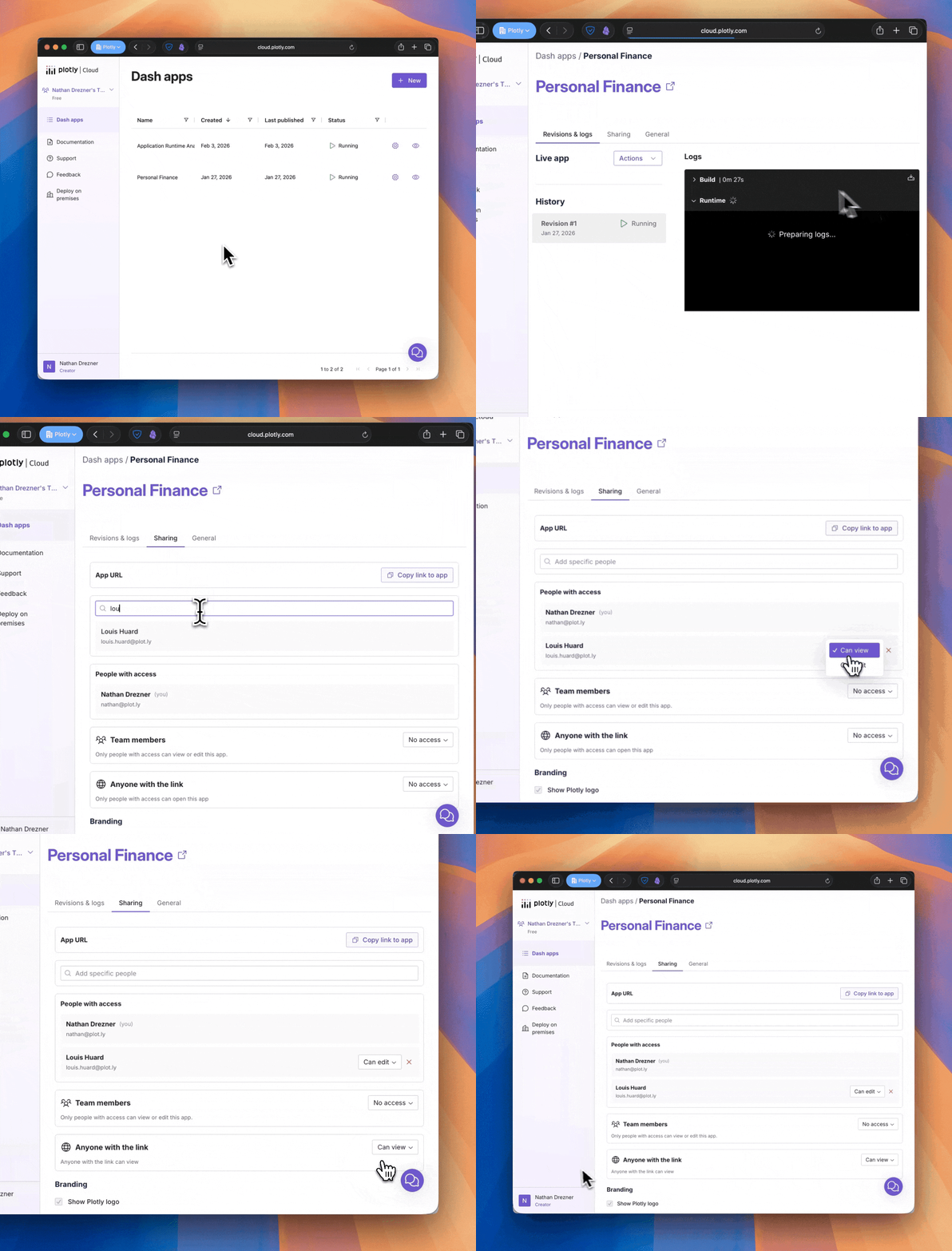
The iteration cycle speeds up. Stakeholders see updates the moment you publish. They explore the data themselves instead of waiting for you to click through it in a meeting. Questions come back faster. Your next iteration happens faster. Analytics becomes a conversation instead of a series of handoffs.
Visibility into team activity and usage
Running analytics as a function means understanding where effort goes and where value comes from. Who is a part of your team? How can I quickly change permissions for users in the team? How many apps and users do I have, and how much is Plotly Studio being used in my organization??
Each team has a dedicated settings page showing members, join dates, running applications, and Plotly Studio credit usage. Usage and billing track per team, making it easy to understand costs and allocate resources across different projects or departments. Your plan determines how many Creators and Viewers each team can have, along with features like public sharing, custom URLs, and watermark control.
This visibility turns analytics into a collaborative analytics experience you can easily manage and scale.
Start using team collaboration today
Team collaboration integrates with your existing workflow without disruption. Your current applications and settings stay exactly where they are. If you've previously shared apps with collaborators, those permissions carry forward automatically.
Get started by signing up for Plotly Cloud. Create your first Team, choose a name, invite your colleagues, and start sharing data apps. Within minutes, your entire team can collaborate on Dash applications together.
This foundation enables more powerful collaboration features coming soon, including team-level secrets management and enhanced activity tracking. We built it based on feedback from hundreds of users who needed better ways to work together on analytics.
We're committed to expanding these capabilities. Check out our public roadmap to follow along, vote on features, and share your ideas. Your feedback shapes what we build.